> For the complete documentation index, see [llms.txt](https://docs.heeler.com/mrecEO40m5D6bt7Pq5pE/llms.txt). Markdown versions of documentation pages are available by appending `.md` to page URLs; this page is available as [Markdown](https://docs.heeler.com/mrecEO40m5D6bt7Pq5pE/administer-and-monitor/connections-and-integrations/source-connections.md).

# Source Connections

Manage the code, cloud, and Kubernetes connections Heeler analyzes — check health, re-authorize credentials, tune event collection, and add or remove sources.

These are the connections Heeler analyzes directly: your **Code Organizations**, **Cloud Organizations**, **Cloud Accounts**, **Kubernetes Clusters**, and **Hosting Platforms**. Each is its own sub-tab under **Administration → Connections**. You added them during [Get Started](/mrecEO40m5D6bt7Pq5pE/get-started.md); here you keep them healthy and current.

{% hint style="info" %}
Changing anything on this page requires the **Administrator** role. An **Administrator (read-only)** can view it but can't make changes.
{% endhint %}

Every list reports [connection health](/mrecEO40m5D6bt7Pq5pE/administer-and-monitor/connections-and-integrations.md#reading-the-health-column) the same way. What differs by type is the columns and the actions available in each row's **⋯** menu.

{% tabs %}
{% tab title="Code Organizations" %}
Your source-control organizations — GitHub, GitLab, Azure DevOps, Bitbucket.

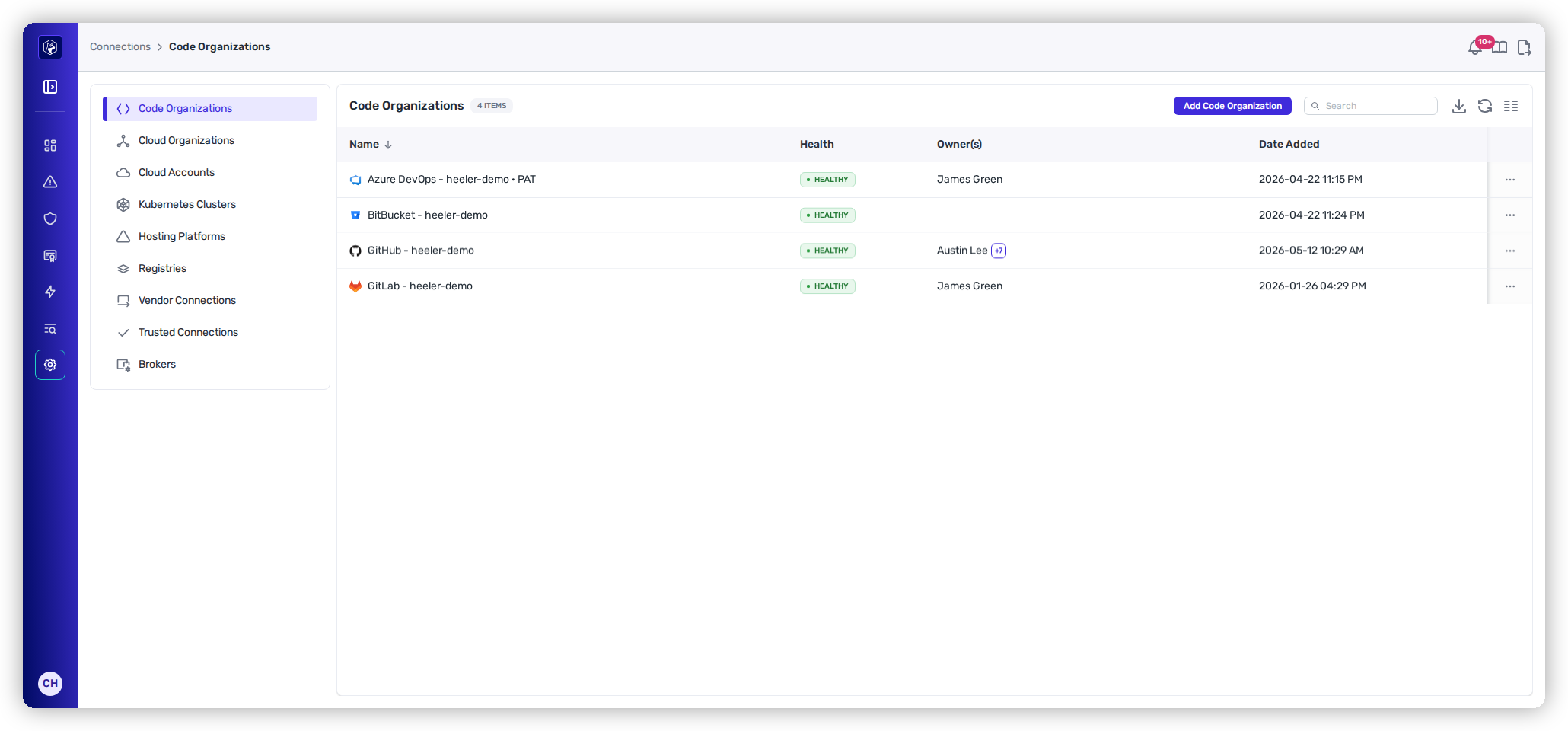
<figure><img src="https://414480750-files.gitbook.io/~/files/v0/b/gitbook-x-prod.appspot.com/o/spaces%2FXP3dp2kecwKA2KvYkntz%2Fuploads%2Fgit-blob-040a0ec05b49a69f2468f1d3c66636acfd175863%2Fam-connections-code.png?alt=media" alt="The Code Organizations list showing GitHub, GitLab, Azure DevOps, and Bitbucket connections, each with a Health status and Owner(s)."><figcaption><p>Code Organizations — one row per connected SCM org.</p></figcaption></figure>

**Columns:** Name · Health · Owner(s) (GitHub only) · Date Added.

**Row actions:**

* **Edit Connection** — adjust connection settings (GitHub uses a dedicated settings modal).
* **Refresh Token / re-authorize** — for connections whose credentials expire. An Azure DevOps connection authorized by a person has to be re-authorized this way, because Entra refresh tokens can't be renewed silently. An [app registration](/mrecEO40m5D6bt7Pq5pE/get-started/source-code-scm/azure-devops-app-registration.md) connection issues its own short-lived tokens and never needs this.
* **Show Group Access** (GitLab) — see which groups the connection can read.
* **Export** — download the filtered list as JSON.
* **Delete Connection** — remove the org. If it owns [brokers](/mrecEO40m5D6bt7Pq5pE/administer-and-monitor/connections-and-integrations/brokers.md), you'll be asked whether to remove those too.

An **Error** here usually means the token expired or the app authorization was revoked — re-authorize to restore it.

**Setting up your first code organization?** It's covered in Get Started:

{% content-ref url="/pages/ckbj7cvH40EvBPTAyc5A" %}
[Connect Your Code](/mrecEO40m5D6bt7Pq5pE/get-started/source-code-scm.md)
{% endcontent-ref %}
{% endtab %}

{% tab title="Cloud Organizations" %}
Your AWS, Azure, and GCP organizations.

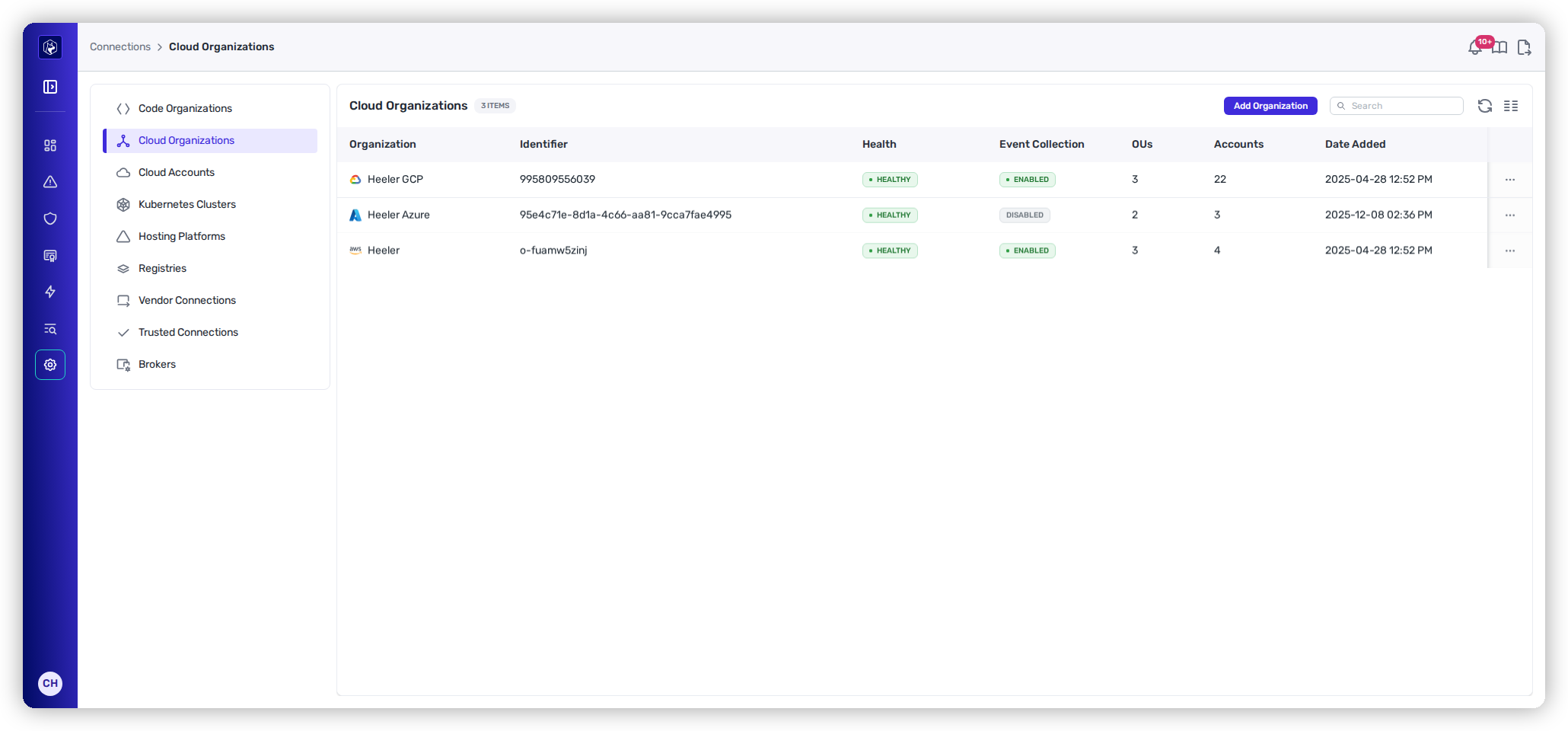
<figure><img src="https://414480750-files.gitbook.io/~/files/v0/b/gitbook-x-prod.appspot.com/o/spaces%2FXP3dp2kecwKA2KvYkntz%2Fuploads%2Fgit-blob-0e105ca8cb3857b810c8fcf3d5208c989a1e1280%2Fam-connections-cloud-orgs.png?alt=media" alt="The Cloud Organizations list showing GCP, Azure, and AWS organizations with Health, Event Collection, OUs, and Accounts columns."><figcaption><p>Cloud Organizations — with Event Collection state and account counts.</p></figcaption></figure>

**Columns:** Organization · Identifier · Health · **Event Collection** · OUs · Accounts · Date Added.

**Row actions:**

* **Edit Event Collection Settings** (AWS and GCP) — see [Event collection](#event-collection) below.
* **Edit Connection** and **Delete Connection**.

You can also **silence** specific impairments from the Health badge — see [Silencing known-good gaps](#silencing-known-good-gaps).

**Connecting a cloud organization for the first time?** It's covered in Get Started:

{% content-ref url="/pages/AdnpJLySNt1HmmJJ19Ve" %}
[Connect Your Cloud and Runtime](/mrecEO40m5D6bt7Pq5pE/get-started/cloud-and-runtime.md)
{% endcontent-ref %}
{% endtab %}

{% tab title="Cloud Accounts" %}
Individual accounts, subscriptions, and projects under your cloud organizations.

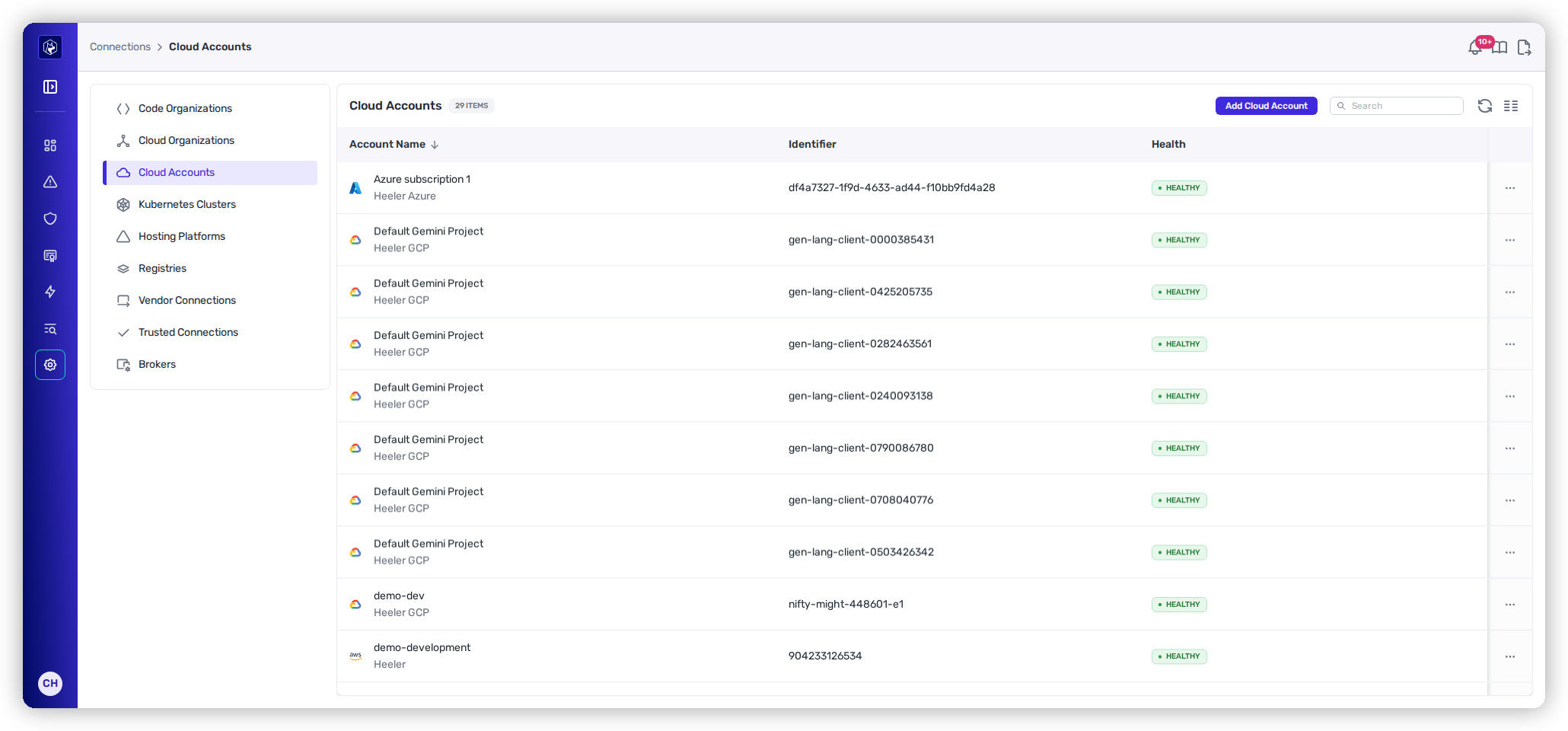
<figure><img src="https://414480750-files.gitbook.io/~/files/v0/b/gitbook-x-prod.appspot.com/o/spaces%2FXP3dp2kecwKA2KvYkntz%2Fuploads%2Fgit-blob-9092473e5883fd33071a2420ef0f29c0f491e8a9%2Fam-connections-cloud-accounts.png?alt=media" alt="The Cloud Accounts list showing individual accounts, subscriptions, and projects with an Identifier and Health status."><figcaption><p>Cloud Accounts — the individual accounts under your organizations.</p></figcaption></figure>

**Columns:** Account Name · Identifier · Health.

**Row actions:**

* **Edit Account** — available for individually added accounts (not ones discovered under an organization).
* **Delete Account** — enabled only for individual accounts. Accounts discovered through a Cloud Organization are managed at the org level, so remove them there.

**Adding an individual account for the first time?** It's covered in Get Started:

{% content-ref url="/pages/AdnpJLySNt1HmmJJ19Ve" %}
[Connect Your Cloud and Runtime](/mrecEO40m5D6bt7Pq5pE/get-started/cloud-and-runtime.md)
{% endcontent-ref %}
{% endtab %}

{% tab title="Kubernetes Clusters" %}
Your connected GKE, AKS, and EKS clusters.

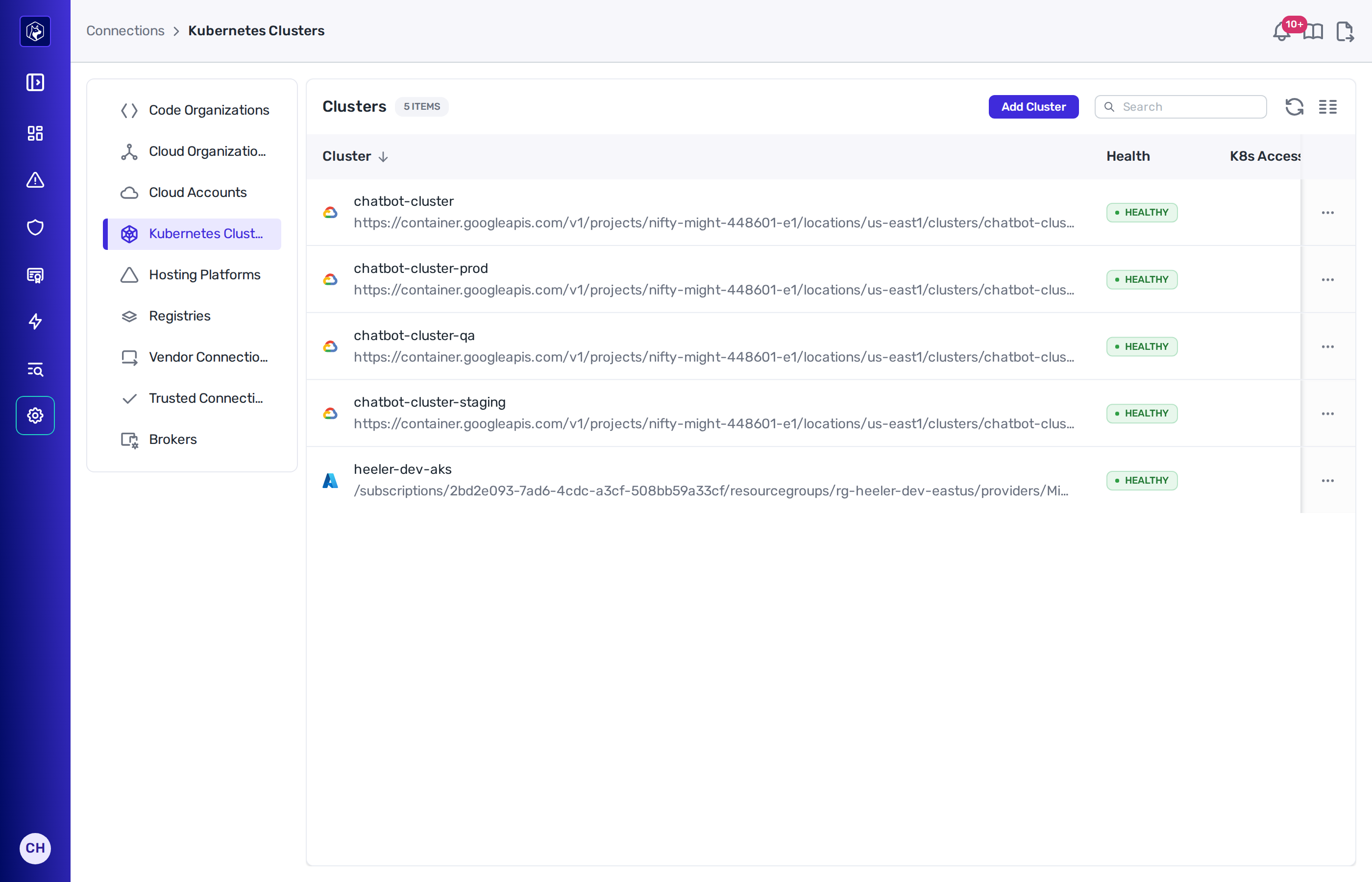
<figure><img src="https://414480750-files.gitbook.io/~/files/v0/b/gitbook-x-prod.appspot.com/o/spaces%2FXP3dp2kecwKA2KvYkntz%2Fuploads%2Fgit-blob-ce91735cd02487c92037d1bc0f382579a5d2cb09%2Fam-connections-k8s.png?alt=media" alt="The Kubernetes Clusters list showing clusters with Health, K8s Access, Nodes, and Namespaces columns."><figcaption><p>Kubernetes Clusters — access mode, node and namespace counts per cluster.</p></figcaption></figure>

**Columns:** Cluster · Health · K8s Access · Nodes · Namespaces · Date Added.

**K8s Access** is populated for EKS clusters and blank for the rest. The badge reads **ClusterRole** or **AWS policy**, and adds **(inherited)** when the cluster follows its cloud connection rather than carrying a setting of its own.

**Row actions:**

* **Kubernetes Access** — available on EKS clusters. Choose how Heeler gets read access inside that cluster.
* **Edit Cluster** — available for clusters you added directly.
* **Delete Cluster** — available for clusters you added directly. Clusters discovered through a cloud connection or reached via a broker are removed through that connection.

**Kubernetes Access** offers three modes:

<table><thead><tr><th width="280">Mode</th><th>What Heeler does</th></tr></thead><tbody><tr><td><strong>Follow the cloud connection</strong></td><td>Uses whatever the cluster's cloud connection is set to. The dialog names the mode in effect.</td></tr><tr><td><strong>AWS-managed access policy</strong></td><td>Associates <code>AmazonEKSAdminViewPolicy</code> with its own access entry. That policy also grants read on Kubernetes Secrets, which Heeler does not read.</td></tr><tr><td><strong>A ClusterRole you manage</strong></td><td>Associates no access policy. You apply a ClusterRole granting only the resources Heeler reads.</td></tr></tbody></table>

On **A ClusterRole you manage**, the dialog gives the `aws eks disassociate-access-policy` and `kubectl apply` commands to run on the cluster. Heeler associates no policy from its next onboarding run onward, and it does not disassociate a policy already on the access entry.

Until the ClusterRole is in place, the cluster reports impaired visibility and names the resources it cannot read. Full steps are in [Kubernetes access on EKS](/mrecEO40m5D6bt7Pq5pE/get-started/cloud-and-runtime/amazon-web-services.md#kubernetes-access-on-eks).

**Connecting a cluster for the first time?** It's covered in Get Started:

{% content-ref url="/pages/i4EEI9Wget48DyaIddRh" %}
[Kubernetes (native) Setup](/mrecEO40m5D6bt7Pq5pE/get-started/cloud-and-runtime/kubernetes-native-setup.md)
{% endcontent-ref %}
{% endtab %}

{% tab title="Hosting Platforms" %}
Managed hosting platforms Heeler reads deployments from — currently **Vercel**.

**Columns:** Name · Health · Date Added.

**Row actions:** **Edit Connection** and **Delete Connection**. Editing leaves the stored access token in place unless you type a new one.

**Connecting a platform for the first time?** It's covered in Get Started:

{% content-ref url="/pages/Zmtm3kn78P6XGRaRjwNa" %}
[Vercel](/mrecEO40m5D6bt7Pq5pE/get-started/cloud-and-runtime/vercel.md)
{% endcontent-ref %}
{% endtab %}
{% endtabs %}

## Event collection

For AWS and GCP organizations, the **Event Collection** column shows **Enabled** or **Disabled**. When enabled, Heeler ingests your cloud's audit and activity events, which powers runtime correlation and suspicious-activity detection — a big part of how findings get tied to what's actually running. Use **Edit Event Collection Settings** on the row to point Heeler at the queue and role it should read from. Leaving it disabled doesn't stop scanning, but it removes that runtime signal.

## Silencing known-good gaps

On a Cloud Organization, some "impaired visibility" is intentional — a project where you've deliberately locked down an API. From the Health badge you can **silence** a single dimension (API or Permissions), a whole project, or all projects, so a deliberate lockdown stops counting against the org's health. Unsilence at any time to bring it back into the health calculation.

## Re-authorizing a failed connection

When a connection shows **Error**, open its **⋯** menu and use **Refresh Token** or **re-authorize** (label varies by provider). Heeler re-checks on its next hourly sweep; the status returns to **Healthy** once the credential validates. Until then, analysis for that source is paused.

## Related

* [On-Premises Brokers](/mrecEO40m5D6bt7Pq5pE/administer-and-monitor/connections-and-integrations/brokers.md) — reach private, self-hosted sources.
* [Operational Health](/mrecEO40m5D6bt7Pq5pE/administer-and-monitor/operational-health.md) — whether Heeler is scanning these sources cleanly.


---

# Agent Instructions
This documentation is published with GitBook. GitBook is the documentation platform designed so that both humans and AI agents can read, navigate, and reason over technical content effectively. Learn more at gitbook.com.

## Querying This Documentation
If you need additional information that is not directly available in this page, you can query the documentation dynamically by asking a question.

Perform an HTTP GET request on the current page URL with the `ask` query parameter, and the optional `goal` query parameter:

```
GET https://docs.heeler.com/mrecEO40m5D6bt7Pq5pE/administer-and-monitor/connections-and-integrations/source-connections.md?ask=<question>&goal=<endgoal>
```

`ask` is the immediate question: it should be specific, self-contained, and written in natural language.
`goal` is optional and describes the broader end goal you are ultimately trying to accomplish on behalf of the user. GitBook uses it to tailor the answer towards what is most useful for that goal.

The response will contain a direct answer to the question and relevant excerpts and sources from the documentation.

Use this mechanism when the answer is not explicitly present in the current page, you need clarification or additional context, or you want to retrieve related documentation sections.