> For the complete documentation index, see [llms.txt](https://docs.heeler.com/mrecEO40m5D6bt7Pq5pE/llms.txt). Markdown versions of documentation pages are available by appending `.md` to page URLs; this page is available as [Markdown](https://docs.heeler.com/mrecEO40m5D6bt7Pq5pE/administer-and-monitor/program-policy/ticket-status.md).

# Ticket Status

Every ticket Heeler has created, with its current sync state.

**Administration → Program → Ticket Status** is the running list of every ticket Heeler has opened — whether someone created it manually from a finding or a [workflow](/mrecEO40m5D6bt7Pq5pE/operate/workflows.md) opened it automatically. It's where you confirm tickets are being created and are staying in sync with your tracker.

{% hint style="info" %}
Administration is admin-only — you need an **Administrator (read-only)** or **Administrator** role to view this page.
{% endhint %}

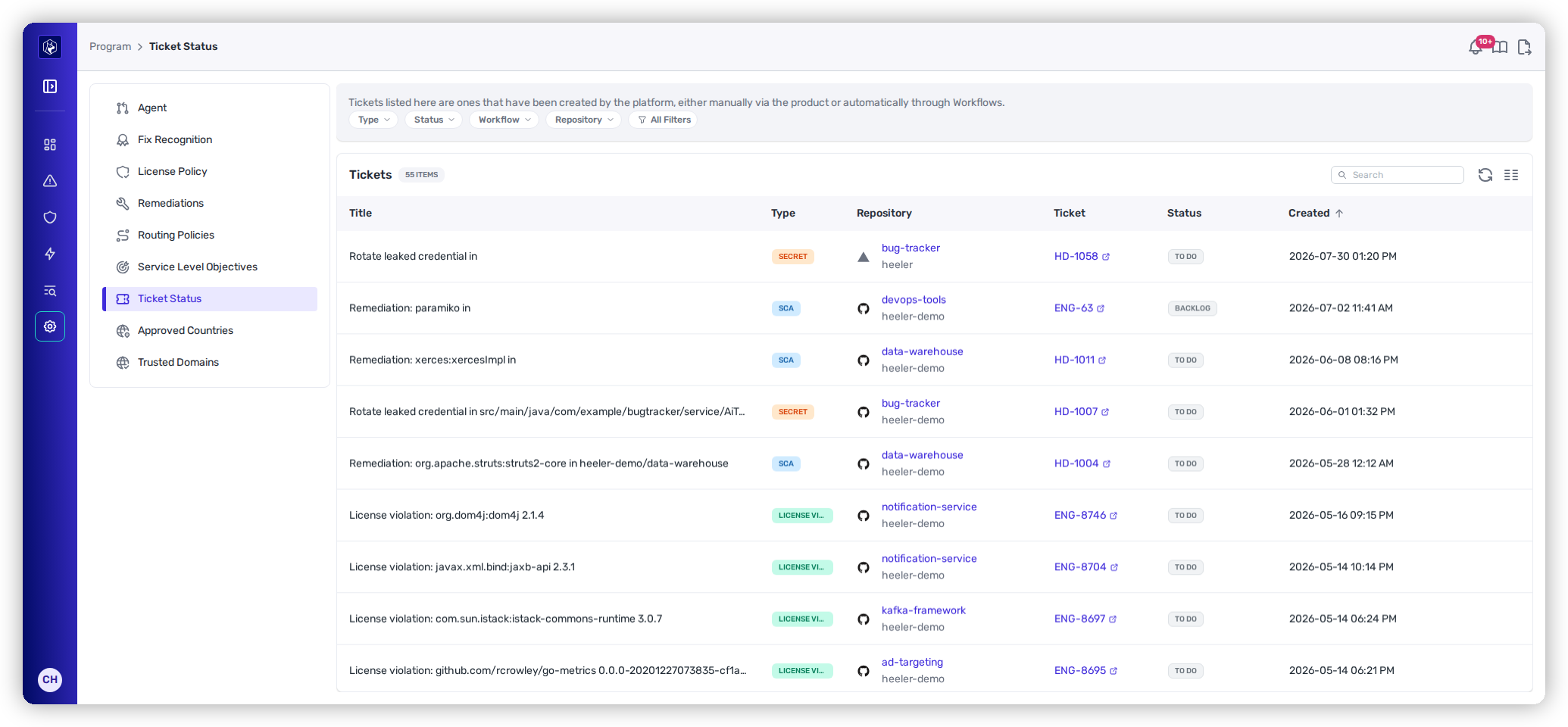
<figure><img src="https://414480750-files.gitbook.io/~/files/v0/b/gitbook-x-prod.appspot.com/o/spaces%2FXP3dp2kecwKA2KvYkntz%2Fuploads%2Fgit-blob-3e9b913c514d5869d74a863ee902558fe3588461%2Fam-program-ticket-status.png?alt=media" alt="The Ticket Status list showing tickets with Type, Repository, external ticket ID, Status, and Created columns, and filters for Type, Status, Workflow, and Repository."><figcaption><p>Ticket Status — every Heeler-created ticket and its live tracker status.</p></figcaption></figure>

## What the list shows

<table><thead><tr><th width="150">Column</th><th>What it means</th></tr></thead><tbody><tr><td><strong>Title</strong></td><td>The ticket's subject — usually the remediation or finding it tracks.</td></tr><tr><td><strong>Type</strong></td><td>What kind of finding it's for (see below).</td></tr><tr><td><strong>Repository</strong></td><td>The repository involved.</td></tr><tr><td><strong>Ticket</strong></td><td>The external ID (e.g. a Jira key), linking out to the ticket in your tracker.</td></tr><tr><td><strong>Status</strong></td><td>The live status pulled from your tracker — the actual Jira/Linear state, colored by whether it's To Do, In Progress, or Done.</td></tr><tr><td><strong>Created</strong></td><td>When Heeler opened it.</td></tr></tbody></table>

The **Type** covers every kind of work Heeler tickets: **SCA**, **SAST**, **Secret**, **Agent File**, **Compromised Dependency**, and **License Violation**.

## Finding a ticket

Filter the list by **Type**, **Status**, **Repository**, **Team**, **Application**, or **Workflow** to answer questions like "which SAST tickets are still open?" or "what did this workflow create?"

## How to read it

Because **Status** reflects the live tracker state, this page doubles as a health check on your ticketing integration: if a ticket you know was resolved still shows open here, sync isn't flowing — check the [ticketing integration's health](/mrecEO40m5D6bt7Pq5pE/administer-and-monitor/connections-and-integrations/integrations.md) and your [ticket-closing policy](/mrecEO40m5D6bt7Pq5pE/administer-and-monitor/organization-model/ticket-closing.md).

## Related

* [Ticket Closing](/mrecEO40m5D6bt7Pq5pE/administer-and-monitor/organization-model/ticket-closing.md) — when and how Heeler closes these tickets.
* [Operate → Workflows](/mrecEO40m5D6bt7Pq5pE/operate/workflows.md) — the automation that opens many of them.
* [Integrations](/mrecEO40m5D6bt7Pq5pE/administer-and-monitor/connections-and-integrations/integrations.md) — the ticketing connections behind them.


---

# Agent Instructions
This documentation is published with GitBook. GitBook is the documentation platform designed so that both humans and AI agents can read, navigate, and reason over technical content effectively. Learn more at gitbook.com.

## Querying This Documentation
If you need additional information that is not directly available in this page, you can query the documentation dynamically by asking a question.

Perform an HTTP GET request on the current page URL with the `ask` query parameter, and the optional `goal` query parameter:

```
GET https://docs.heeler.com/mrecEO40m5D6bt7Pq5pE/administer-and-monitor/program-policy/ticket-status.md?ask=<question>&goal=<endgoal>
```

`ask` is the immediate question: it should be specific, self-contained, and written in natural language.
`goal` is optional and describes the broader end goal you are ultimately trying to accomplish on behalf of the user. GitBook uses it to tailor the answer towards what is most useful for that goal.

The response will contain a direct answer to the question and relevant excerpts and sources from the documentation.

Use this mechanism when the answer is not explicitly present in the current page, you need clarification or additional context, or you want to retrieve related documentation sections.
