> For the complete documentation index, see [llms.txt](https://docs.heeler.com/mrecEO40m5D6bt7Pq5pE/llms.txt). Markdown versions of documentation pages are available by appending `.md` to page URLs; this page is available as [Markdown](https://docs.heeler.com/mrecEO40m5D6bt7Pq5pE/administer-and-monitor/program-policy/trusted-domains.md).
# Trusted Domains
Approve the domains your agent files legitimately reference, so Heeler stops scoring trusted sources as risky.
Agent files — the instruction and configuration files that drive AI coding agents — often reference external domains, and an unknown domain is a risk signal. **Administration → Program → Trusted Domains** is where you approve the domains that are legitimate for your organization.
Approving a domain does two things, and **subdomains are included**:
* The host drops to the lowest risk tier, trusted developer infrastructure, so it stops contributing to the External Risk of any agent file that references it. Those files are re-scored without it.
* Its external-system reference findings are hidden — on the agent file's detail, in guardrail evaluation, in violation lists, and through the MCP tools.
Remove the approval and those findings reappear without a rescan.
A host that is itself a risk signal — a URL shortener, a paste site, or an internationalized (punycode) domain — keeps its high-risk tier when approved. Its external-system reference findings are still hidden.
{% hint style="info" %}
Changing anything on this page requires the **Administrator** role. An **Administrator (read-only)** can view it but can't make changes.
{% endhint %}
The page has two tabs.
{% tabs %}
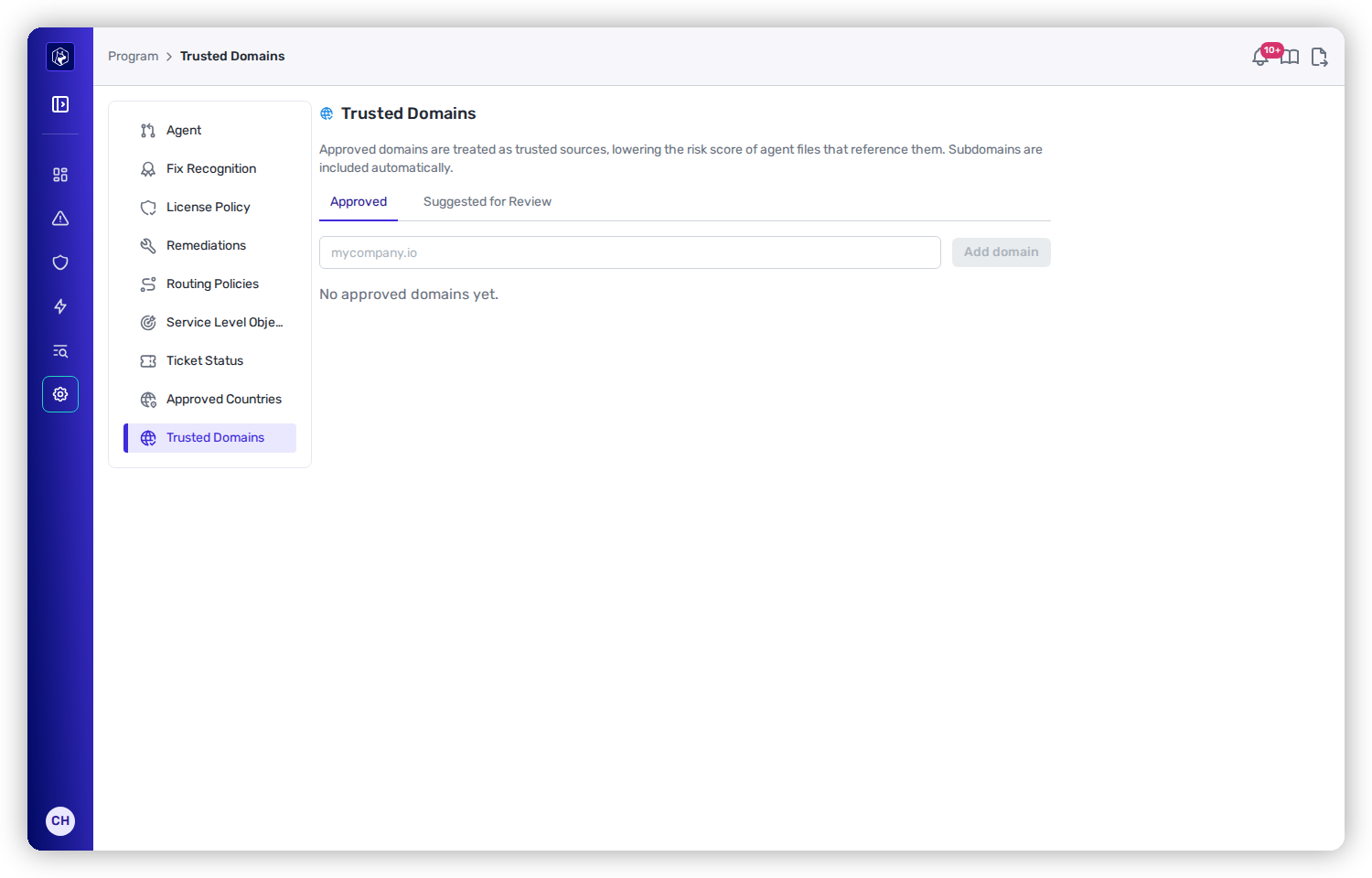
{% tab title="Approved" %}
The domains you've vouched for.
Approved domains — trusted sources that lower agent-file risk.
Each row shows the **Domain**, **Added By**, and **Added on**. A domain that matches one of your organization's own signals also carries a **Self owned** badge.
**Add domain** to approve one directly — type the domain, for example `mycompany.io`. Heeler re-scores affected agent files shortly after.
Use the row's **Remove** action to revoke trust.
{% endtab %}
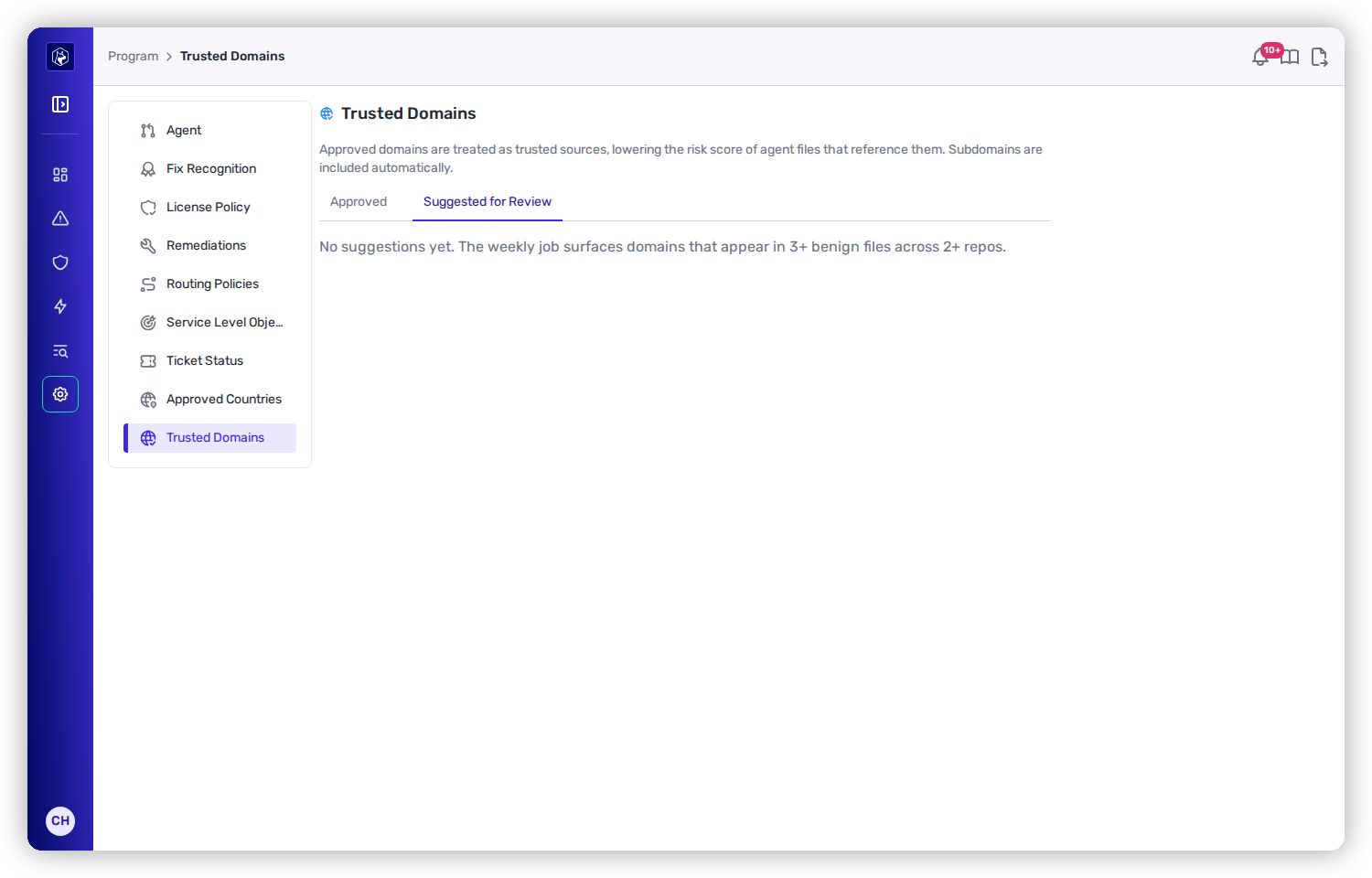
{% tab title="Suggested for Review" %}
Heeler proposes domains for you to review each week, from two kinds of evidence.
Suggested for Review — domains Heeler proposes based on where they appear.
**Seen across benign files.** Domains that appear in **3 or more benign agent files across 2 or more repositories**, with no appearance in a file assessed as suspicious or malicious.
**Owned by your organization.** Domains your organization demonstrably owns, evidenced by:
* the email domains of your active users, with free email providers excluded
* the hostnames of your self-hosted source-control servers
A domain is never proposed because its name resembles your organization's. These suggestions carry a **Self owned** badge — hover it for the signal that matched. The badge stays on the domain once you approve it.
Each suggestion shows the **Domain**, the number of **Files** and **Repositories** it appears in, and **First Seen**. **Files** and **Repositories** are counted for a domain surfaced by benign usage; a domain proposed on an ownership signal has no counts. Two actions:
* **Approve** — moves it to the Approved list and re-scores affected agent files.
* **Dismiss** — removes it from the suggestions without trusting it.
{% endtab %}
{% endtabs %}
## Verify it worked
After you approve a domain, agent files that reference it are re-scored and their risk drops. The external-system reference findings for that host stop appearing on those files, in guardrail results, and in violation lists.
## Worked example
See this as part of securing your AI coding agents end to end:
{% content-ref url="/pages/IBFvawl27EPDOZqk2Tar" %}
[Secure AI Coding Agents](/mrecEO40m5D6bt7Pq5pE/solutions-and-use-cases/secure-your-ai-coding-agents.md)
{% endcontent-ref %}
## Related
* [Agent Files findings](/mrecEO40m5D6bt7Pq5pE/findings/agentic-supply-chain-agent-files.md) — how agent-file risk is scored and where domain references factor in.
---
# Agent Instructions
This documentation is published with GitBook. GitBook is the documentation platform designed so that both humans and AI agents can read, navigate, and reason over technical content effectively. Learn more at gitbook.com.
## Querying This Documentation
If you need additional information that is not directly available in this page, you can query the documentation dynamically by asking a question.
Perform an HTTP GET request on the current page URL with the `ask` query parameter, and the optional `goal` query parameter:
```
GET https://docs.heeler.com/mrecEO40m5D6bt7Pq5pE/administer-and-monitor/program-policy/trusted-domains.md?ask=&goal=
```
`ask` is the immediate question: it should be specific, self-contained, and written in natural language.
`goal` is optional and describes the broader end goal you are ultimately trying to accomplish on behalf of the user. GitBook uses it to tailor the answer towards what is most useful for that goal.
The response will contain a direct answer to the question and relevant excerpts and sources from the documentation.
Use this mechanism when the answer is not explicitly present in the current page, you need clarification or additional context, or you want to retrieve related documentation sections.