> For the complete documentation index, see [llms.txt](https://docs.heeler.com/mrecEO40m5D6bt7Pq5pE/llms.txt). Markdown versions of documentation pages are available by appending `.md` to page URLs; this page is available as [Markdown](https://docs.heeler.com/mrecEO40m5D6bt7Pq5pE/catalog/contributors.md).
# Contributors
A directory of everyone who contributes to your monitored repositories — de-duplicated across identities and mapped to the ownership roles the rest of Heeler relies on.
The **Contributors** inventory (**Catalog → Contributors**) is a directory of everyone who has contributed to your monitored repositories — committers, reviewers, and commenters — mapped to their activity and linked to their ownership roles across the platform. Accurate contributor identity is what makes ownership assignment, finding attribution, and workflow routing land on the right people.
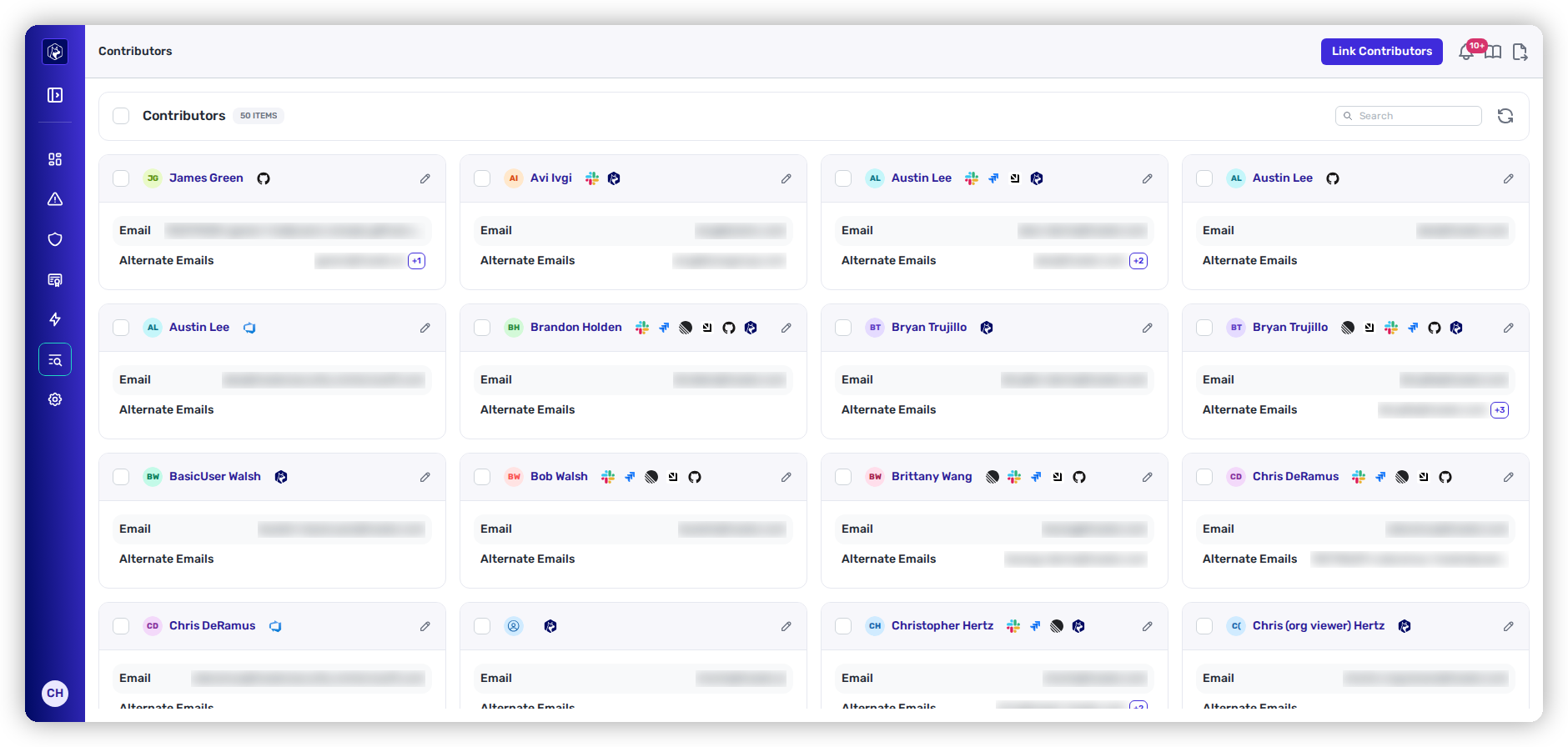
Contributors — de-duplicated across identities, with alternate emails shown alongside the primary.
{% hint style="info" %}
**Prerequisites:** Contributors are drawn from the commit and review history in your connected source-code (SCM) provider.
{% endhint %}
## The listing
Each entry is one person, **de-duplicated** across the multiple email addresses and SCM identities they may appear under. Alternate emails are shown next to the primary one.
| Column | What it shows |
| -------------------- | -------------------------------------------------------------------------------------- |
| **Name** | The contributor's display name. |
| **Email** | Primary email associated with their SCM account. |
| **Alternate Emails** | Other emails Heeler has associated with them (personal vs. work, multiple identities). |
## Linking contributors
When someone uses different names or emails across SCM providers and Heeler hasn't merged them automatically, the **Link Contributors** action lets you associate the profiles by hand — keeping ownership assignments, Tech Lead / Security Lead designations, and finding attributions accurate.
## Contributors in context
Contributors show up wherever accountability matters:
* **Repository → Active Contributors** — who has commit, review, or comment activity on a repo.
* **Tech Lead / Security Lead** — a contributor designated as the point of contact for a repository, service, or application's findings and remediation.
* **Team mapping** — contributors mapped to teams, which scope guardrails, filter findings, and route [workflow](/mrecEO40m5D6bt7Pq5pE/operate/workflows.md) notifications.
## Related
* [Map Your Organization](/mrecEO40m5D6bt7Pq5pE/get-started/map-your-organization.md) — how teams and ownership are structured.
* [Users and Access](/mrecEO40m5D6bt7Pq5pE/get-started/users-and-access.md) — platform accounts and roles (distinct from SCM contributors).
---
# Agent Instructions
This documentation is published with GitBook. GitBook is the documentation platform designed so that both humans and AI agents can read, navigate, and reason over technical content effectively. Learn more at gitbook.com.
## Querying This Documentation
If you need additional information that is not directly available in this page, you can query the documentation dynamically by asking a question.
Perform an HTTP GET request on the current page URL with the `ask` query parameter, and the optional `goal` query parameter:
```
GET https://docs.heeler.com/mrecEO40m5D6bt7Pq5pE/catalog/contributors.md?ask=&goal=
```
`ask` is the immediate question: it should be specific, self-contained, and written in natural language.
`goal` is optional and describes the broader end goal you are ultimately trying to accomplish on behalf of the user. GitBook uses it to tailor the answer towards what is most useful for that goal.
The response will contain a direct answer to the question and relevant excerpts and sources from the documentation.
Use this mechanism when the answer is not explicitly present in the current page, you need clarification or additional context, or you want to retrieve related documentation sections.