> For the complete documentation index, see [llms.txt](https://docs.heeler.com/mrecEO40m5D6bt7Pq5pE/llms.txt). Markdown versions of documentation pages are available by appending `.md` to page URLs; this page is available as [Markdown](https://docs.heeler.com/mrecEO40m5D6bt7Pq5pE/get-started/map-your-organization/team-ticket-settings.md).
# Team Ticket Settings
Give each team its own ticketing and messaging destination so one workflow routes every finding to the right place.
Team Ticket Settings are what let a **single workflow** route tickets to the right place for every team. Configure each team's Jira project (or Linear team) once, and every workflow running in **Assigned Team** mode sends that team's findings to its own destination — no per-team workflow copies, no edits when teams reorg.
## Before you start
* Teams synced or created under [Connection Mapping → Teams](/mrecEO40m5D6bt7Pq5pE/get-started/map-your-organization/teams.md).
* At least one [Jira](/mrecEO40m5D6bt7Pq5pE/get-started/ticketing/jira-cloud.md), [Linear](/mrecEO40m5D6bt7Pq5pE/get-started/ticketing/linear.md), or [GitHub Issues](/mrecEO40m5D6bt7Pq5pE/get-started/ticketing/github-issues.md) integration connected.
## Open a team's Ticketing tab
1. Go to **Administration → Connection Mapping → Teams**.
2. Click a team to open its drawer.
3. Select the **Ticketing** tab.
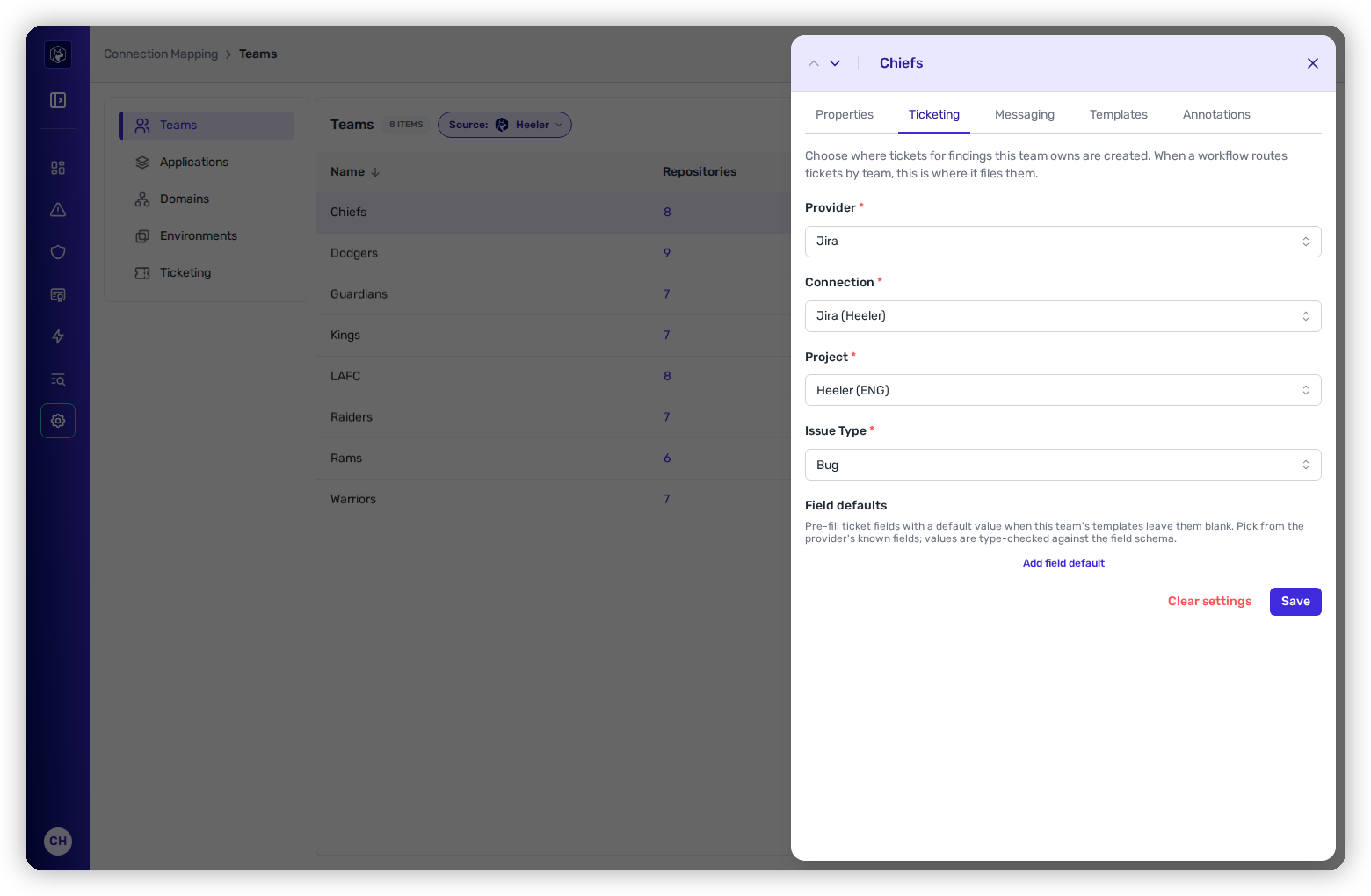
The team drawer's Ticketing tab, configured for Jira.
## Configure a destination
{% tabs %}
{% tab title="Jira" %}
1. **Provider** → **Jira**.
2. **Connection** — the Jira Cloud or Data Center instance.
3. **Project** — the Jira project that owns this team's tickets.
4. **Issue Type** — the default type (e.g. `Bug`, `Task`).
5. Optionally add **Field Defaults** (below), then **Save**.
{% endtab %}
{% tab title="Linear" %}
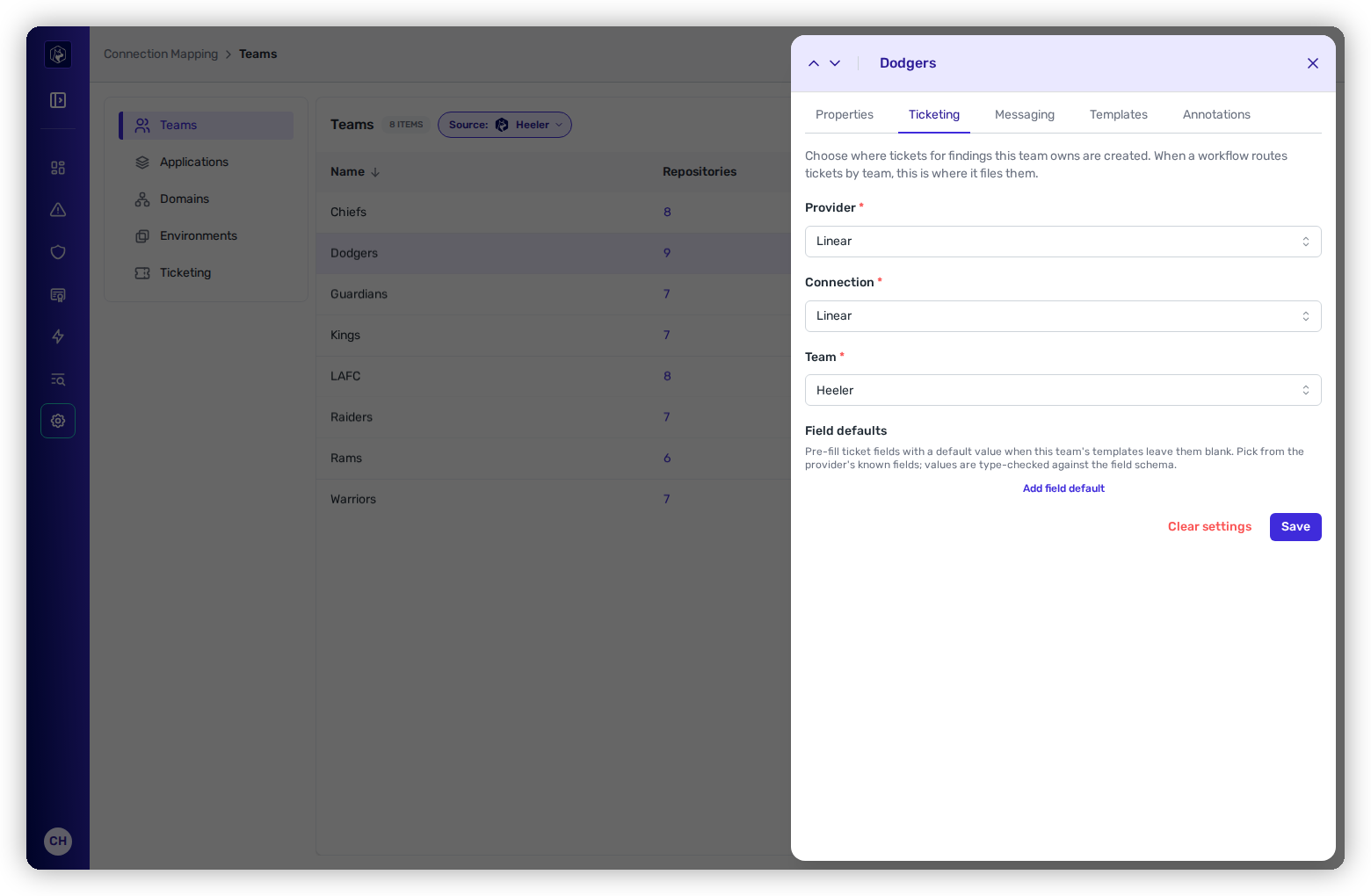
1. **Provider** → **Linear**.
2. **Connection** — the Linear workspace.
3. **Linear Team** — the team that owns this team's issues.
4. Optionally add **Field Defaults**, then **Save**.
The Ticketing tab configured for Linear.
{% endtab %}
{% tab title="GitHub Issues" %}
1. **Provider** → **GitHub** (appears once a [GitHub Issues integration](/mrecEO40m5D6bt7Pq5pE/get-started/ticketing/github-issues.md) is enabled).
2. **Connection** — the enabled GitHub organization.
3. **Repository** — the `owner/repo` that owns this team's issues.
{% hint style="info" %}
GitHub Issues have only a title and Markdown body (no project/issue-type schema), so there's **no Field Defaults editor** — the summary and description come from the workflow template.
{% endhint %}
{% endtab %}
{% endtabs %}
## Field Defaults
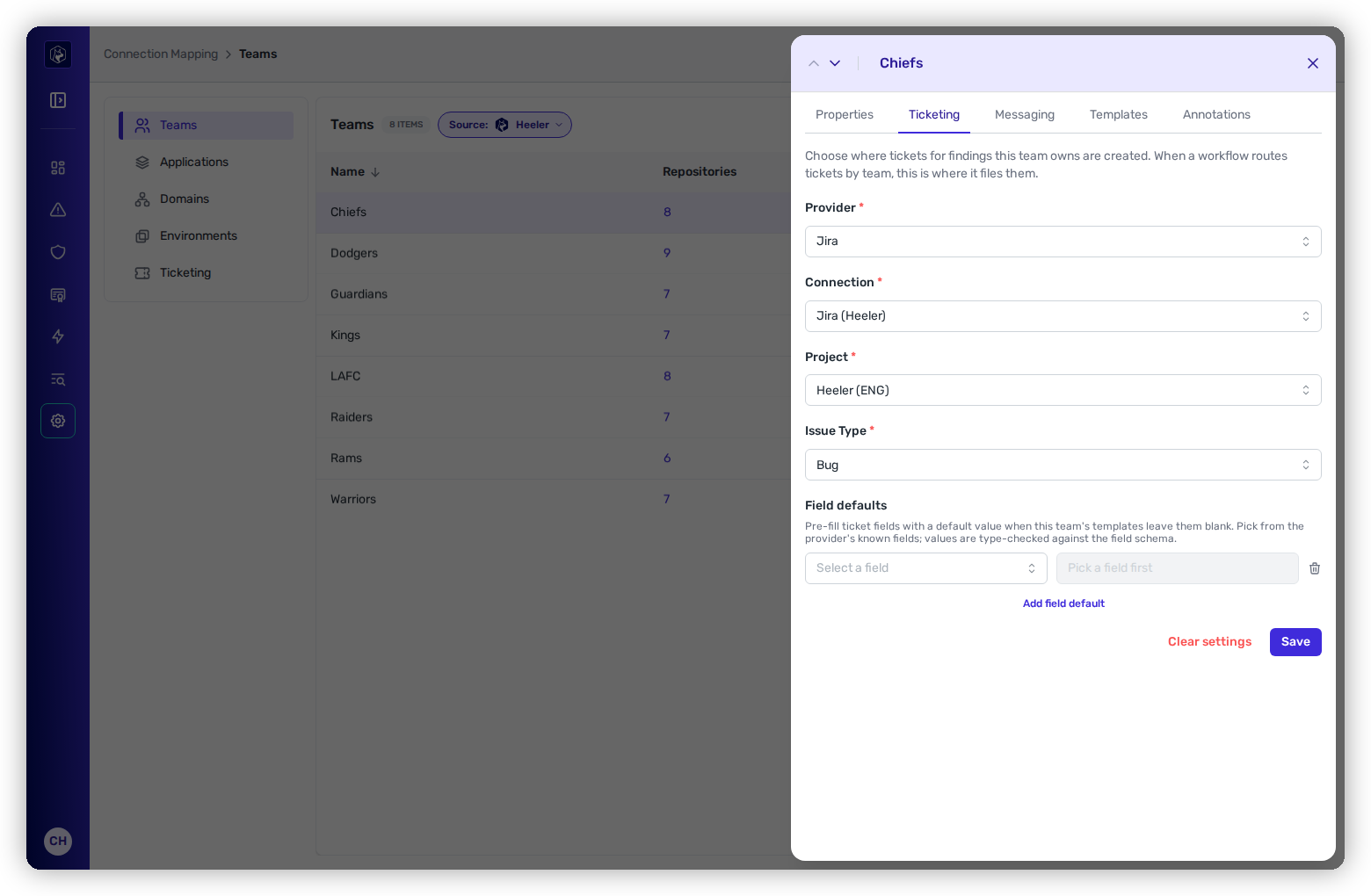
Field Defaults are team-wide defaults applied to every ticket this team creates through Assigned-Team routing — a default **priority**, **labels**, **component**, or **assignee**. The editor is schema-aware:
* The **Field** picker lists fields valid for the selected project + issue type (Jira) or Linear team.
* The **Value** input adapts to the field type — multi-select for Labels, single-select for Priority, a switch for booleans, and so on.
* Template-owned fields (`summary`, `description`, `title`, `issuetype`) are filtered out.
The schema-aware Field Defaults editor adapts to each field's type.
{% hint style="info" %}
Defaults merge at execution time in the order **team → template → step**, later layers winning. A team can set `labels: ["appsec"]` team-wide and a template or step can still override or extend it.
{% endhint %}
## How a ticket is routed
When a workflow fires in **Assigned Team** mode, Heeler: identifies the repository that produced the finding → resolves its team → reads that team's ticket settings for the destination → picks the team's template override (or the tenant default) → merges field defaults (team → template → step) → creates the ticket.
If the repository doesn't resolve to a team, or the team lacks settings for that provider, the workflow step's **When no team found** setting applies — **Skip** (silent) or **Fallback Settings** (an inline explicit destination).
## Template overrides for this team
Beyond a destination and field defaults, a team can choose its **own template** for a given trigger + integration. Switch to the **Templates** tab in the team drawer and assign a custom template to any row — that team's findings then use it instead of the tenant default, while other teams keep the default.
## Team messaging settings
The **messaging** equivalent lives on the same team: set a provider (Slack, Microsoft Teams, or Google Chat), connection, and channel once, and workflow message steps in team-routing mode notify each finding's owning team channel.
## Verify
1. On the team's **Templates** tab, the banner flags any template whose required fields aren't satisfied by the team's settings + field defaults — fix those first.
2. From **Workflows**, use **Run Workflow** against a single finding to confirm the ticket lands where expected.
3. Check the team's **Workflow Health** — misconfigurations surface as unhealthy with a per-team message.
{% hint style="info" %}
Changing project / issue type / Linear team takes effect on the **next** run; already-ticketed findings aren't re-ticketed. Leaving the provider unset opts the team out of Assigned-Team routing (workflows fall through to Skip or Fallback).
{% endhint %}
---
# Agent Instructions
This documentation is published with GitBook. GitBook is the documentation platform designed so that both humans and AI agents can read, navigate, and reason over technical content effectively. Learn more at gitbook.com.
## Querying This Documentation
If you need additional information that is not directly available in this page, you can query the documentation dynamically by asking a question.
Perform an HTTP GET request on the current page URL with the `ask` query parameter, and the optional `goal` query parameter:
```
GET https://docs.heeler.com/mrecEO40m5D6bt7Pq5pE/get-started/map-your-organization/team-ticket-settings.md?ask=&goal=
```
`ask` is the immediate question: it should be specific, self-contained, and written in natural language.
`goal` is optional and describes the broader end goal you are ultimately trying to accomplish on behalf of the user. GitBook uses it to tailor the answer towards what is most useful for that goal.
The response will contain a direct answer to the question and relevant excerpts and sources from the documentation.
Use this mechanism when the answer is not explicitly present in the current page, you need clarification or additional context, or you want to retrieve related documentation sections.