> For the complete documentation index, see [llms.txt](https://docs.heeler.com/mrecEO40m5D6bt7Pq5pE/llms.txt). Markdown versions of documentation pages are available by appending `.md` to page URLs; this page is available as [Markdown](https://docs.heeler.com/mrecEO40m5D6bt7Pq5pE/get-started/source-code-scm/github.md).

# GitHub

Connect a GitHub organization to Heeler by installing its Verified GitHub App — the fastest way to start scanning code and gating pull requests.

Heeler connects to GitHub at the **organization** level through its [**Verified GitHub App**](https://github.com/marketplace/heeler-application-security-platform). Installing the app authorizes Heeler to scan your repositories, enrich them with context, and run [PR guardrails](/mrecEO40m5D6bt7Pq5pE/prevent/pr-guardrails.md) and automated fixes — all through pull requests.

{% hint style="warning" %}
**Install the app from within Heeler** (via **Add Code Organization**), not directly from the GitHub Marketplace. Starting inside Heeler links the installation to your tenant and pre-fills the outbound IPs on the app.
{% endhint %}

## Before you start

* You must be a GitHub **organization owner**, or hold **admin rights** on the repositories you want to connect.
* **Administrator** role in Heeler.
* If your organization uses an **IP allow list**, allow Heeler's outbound IPs. These are added to the Heeler GitHub App and you'll be prompted to accept them during install:
  * `44.221.229.40` — ports 22 & 443
  * `52.73.231.96` — ports 22 & 443

## What the app can access

The Heeler GitHub App requests the **minimum** permissions needed to scan, enrich, and remediate. Read access powers analysis and context; write access is confined to checks, code (for fix branches), issues, and pull requests.

<table><thead><tr><th width="150">Level</th><th width="130">Access</th><th>Permissions &#x26; why</th></tr></thead><tbody><tr><td><strong>Repository</strong></td><td>Read</td><td>Actions, administration, custom properties, members, metadata, packages, security events, and webhooks — powers code and package scanning plus repository/context enrichment (contributors, and so on). Webhook-read lets Heeler pick up new and updated repositories quickly.</td></tr><tr><td><strong>Repository</strong></td><td>Read &#x26; Write</td><td>Checks, code, issues, and pull requests — required for guardrails and agentic remediation. Heeler's fixes always go through pull requests.</td></tr><tr><td><strong>Organization</strong></td><td>Read</td><td>Administration — lets Heeler analyze your organization's GitHub audit logs for additional security insight.</td></tr></tbody></table>

Heeler also subscribes to **Pull Request**, **Push**, and **Release** webhook events for real-time processing of repository changes and pull-request workflows.

## Connect GitHub

{% stepper %}
{% step %}

### Open Code Organizations

In Heeler, click the **Settings** (gear) icon in the top navigation, then **Connections → Code Organizations**.

<figure><img src="https://414480750-files.gitbook.io/~/files/v0/b/gitbook-x-prod.appspot.com/o/spaces%2FXP3dp2kecwKA2KvYkntz%2Fuploads%2Fgit-blob-14b9e8619136b231e02e7289f5e23b4c1a72d563%2Fgithub-code-organizations.png?alt=media" alt="The Code Organizations page under Settings → Connections in Heeler, with the Add Code Organization button."><figcaption><p>The <strong>Code Organizations</strong> page under <strong>Settings → Connections</strong>, where you add and manage connected code organizations.</p></figcaption></figure>
{% endstep %}

{% step %}

### Add the organization

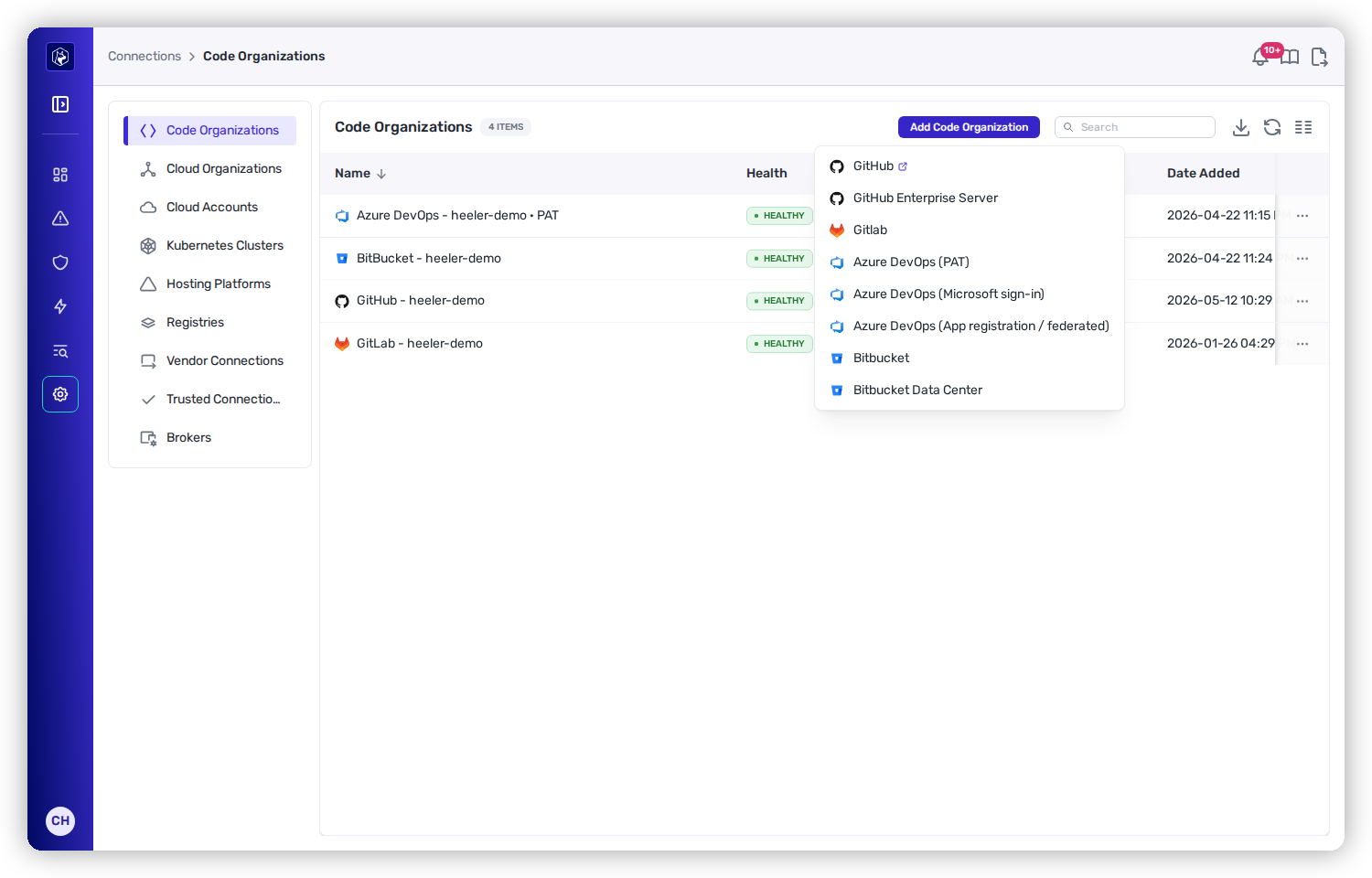
Click **Add Code Organization** and choose **GitHub**. Heeler redirects you to GitHub to authorize and install the Heeler GitHub App.

<figure><img src="https://414480750-files.gitbook.io/~/files/v0/b/gitbook-x-prod.appspot.com/o/spaces%2FXP3dp2kecwKA2KvYkntz%2Fuploads%2Fgit-blob-bb498d55891b695daa1e41050ee9e65a3c68cd3f%2Fcc-gs-scm-addmenu.png?alt=media" alt="The Add Code Organization menu listing GitHub, GitHub Enterprise Server, Gitlab, Azure DevOps (PAT and Microsoft sign-in), Bitbucket, and Bitbucket Data Center."><figcaption><p>Choose <strong>GitHub</strong> from the Add Code Organization menu; Heeler then hands off to GitHub to install the app.</p></figcaption></figure>
{% endstep %}

{% step %}

### Choose repositories

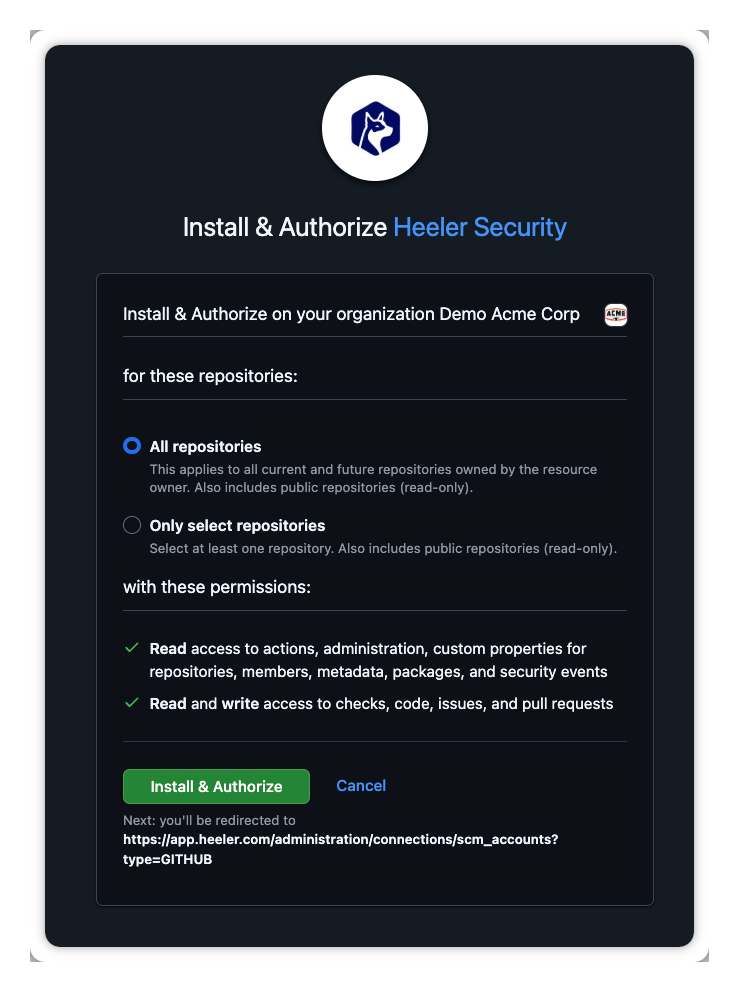
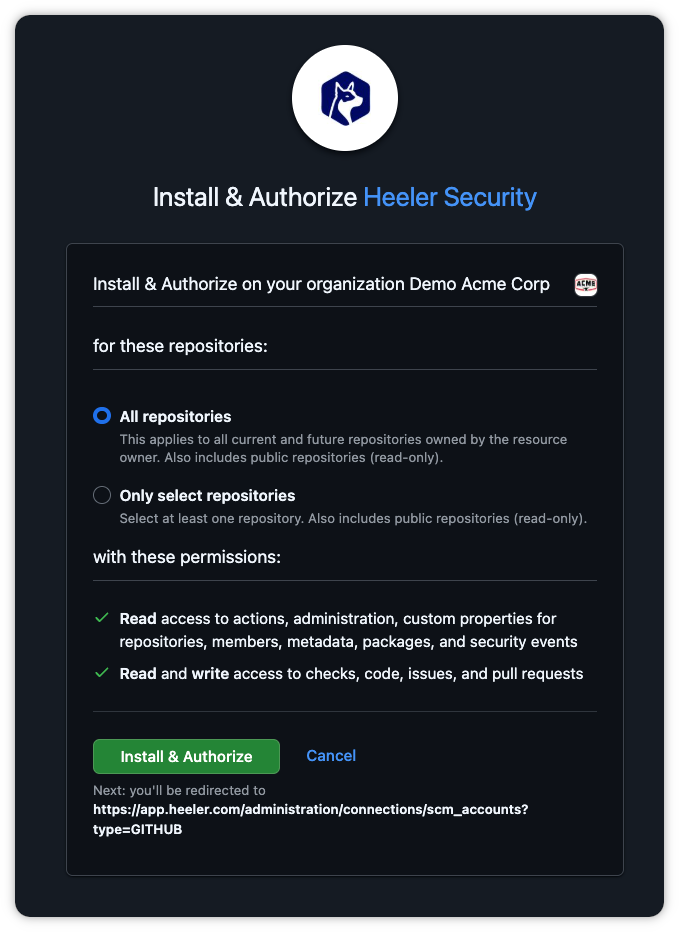
On GitHub, choose whether Heeler secures **all repositories** or a **selected set**, review the requested permissions, and click **Install & Authorize**. You can change this later in the GitHub App, or narrow it further inside Heeler (see [Repository filters](#repository-filters)).

<figure><img src="https://414480750-files.gitbook.io/~/files/v0/b/gitbook-x-prod.appspot.com/o/spaces%2FXP3dp2kecwKA2KvYkntz%2Fuploads%2Fgit-blob-df7a7d8abdb4bd824f754a4fa31c51e61d49f042%2Fcc-scm-github-03.png?alt=media" alt="GitHub&#x27;s Install &#x26; Authorize Heeler Security screen: All repositories vs Only select repositories, the requested read and read-write permissions, and the Install &#x26; Authorize button."><figcaption><p>On GitHub, pick the repository scope and click <strong>Install &#x26; Authorize</strong>.</p></figcaption></figure>
{% endstep %}

{% step %}

### Finish

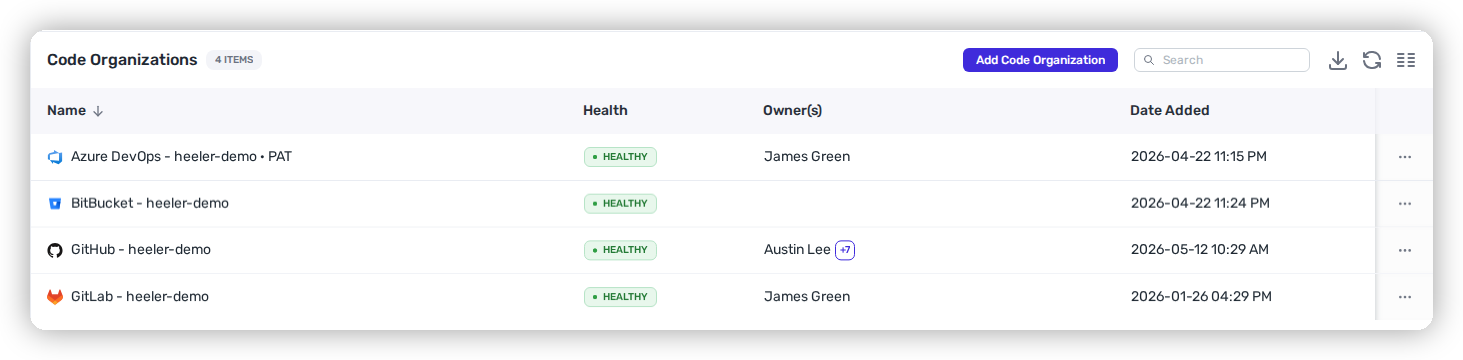
Click **Save**. GitHub returns you to **Code Organizations**, where the new organization appears and Heeler begins discovering and analyzing repositories.

<figure><img src="https://414480750-files.gitbook.io/~/files/v0/b/gitbook-x-prod.appspot.com/o/spaces%2FXP3dp2kecwKA2KvYkntz%2Fuploads%2Fgit-blob-65f8bd1c661e66895fe692adc442513c92d8466d%2Fgithub-connected.png?alt=media" alt="The connected GitHub organization listed under Code Organizations in Heeler after install."><figcaption><p>After install, the connected GitHub organization appears under <strong>Code Organizations</strong>.</p></figcaption></figure>
{% endstep %}
{% endstepper %}

## Repository filters

You can limit which repositories Heeler analyzes in two places:

* **In the GitHub App** — restrict the installation to *all* or a *selected set* of repositories. This is the hard boundary on what Heeler can see at all.
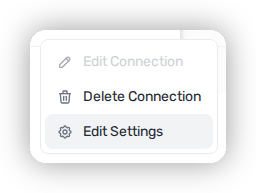
* **In Heeler** — for organizations that would rather not edit the App grant every time, Heeler adds a lightweight filter. From the **Code Organization** row's action menu, choose **Edit Settings**:
  * Provide a **name prefix** so only repositories whose names start with it are analyzed.
  * **Exclude public repositories** so they're skipped.

<figure><img src="https://414480750-files.gitbook.io/~/files/v0/b/gitbook-x-prod.appspot.com/o/spaces%2FXP3dp2kecwKA2KvYkntz%2Fuploads%2Fgit-blob-ab883c5ad2665f7e3072a7904793f42b77289b29%2Fgithub-edit-settings-menu.png?alt=media" alt="The action menu on a Code Organization row in Heeler, with Edit Settings highlighted."><figcaption><p>Open the <strong>Code Organization</strong> row's action menu and choose <strong>Edit Settings</strong>.</p></figcaption></figure>

<figure><img src="https://414480750-files.gitbook.io/~/files/v0/b/gitbook-x-prod.appspot.com/o/spaces%2FXP3dp2kecwKA2KvYkntz%2Fuploads%2Fgit-blob-5a123791d2e59e2b04db4d4f69296c45e8711ada%2Fcc-gs-scm-filters.png?alt=media" alt="The Edit Settings panel for a GitHub code organization, showing a repository name-prefix filter and an exclude-public-repositories toggle."><figcaption><p>Filter repositories inside Heeler without editing the GitHub App grant.</p></figcaption></figure>

## You're done when…

* [ ] The GitHub organization shows **Healthy** under **Code Organizations**.
* [ ] Repositories appear in the [Catalog](/mrecEO40m5D6bt7Pq5pE/catalog/repositories.md).
* [ ] Findings begin populating — see [Quickstart](/mrecEO40m5D6bt7Pq5pE/get-started/quickstart.md).

## Troubleshooting

<table><thead><tr><th width="300">Symptom</th><th>Fix</th></tr></thead><tbody><tr><td>Connection shows <strong>Unhealthy</strong></td><td>Confirm the app is still installed on the organization and its permissions haven't been reduced. Re-open the installation from GitHub → <strong>Settings → GitHub Apps</strong>.</td></tr><tr><td>A repository isn't analyzed</td><td>Check the GitHub App's repository access (all vs. selected) and any Heeler-side prefix / exclude-public filter.</td></tr><tr><td>Guardrail status not posting on PRs</td><td>Confirm the app still holds <strong>Checks</strong> and <strong>Pull requests</strong> read &#x26; write, and that guardrails are configured with this organization in scope.</td></tr></tbody></table>

## Related

* [Connect Your Code](/mrecEO40m5D6bt7Pq5pE/get-started/source-code-scm.md) — the common flow, network, and IP allow list.
* [PR Guardrails](/mrecEO40m5D6bt7Pq5pE/prevent/pr-guardrails.md) — gate new risk on pull requests once GitHub is connected.


---

# Agent Instructions
This documentation is published with GitBook. GitBook is the documentation platform designed so that both humans and AI agents can read, navigate, and reason over technical content effectively. Learn more at gitbook.com.

## Querying This Documentation
If you need additional information that is not directly available in this page, you can query the documentation dynamically by asking a question.

Perform an HTTP GET request on the current page URL with the `ask` query parameter, and the optional `goal` query parameter:

```
GET https://docs.heeler.com/mrecEO40m5D6bt7Pq5pE/get-started/source-code-scm/github.md?ask=<question>&goal=<endgoal>
```

`ask` is the immediate question: it should be specific, self-contained, and written in natural language.
`goal` is optional and describes the broader end goal you are ultimately trying to accomplish on behalf of the user. GitBook uses it to tailor the answer towards what is most useful for that goal.

The response will contain a direct answer to the question and relevant excerpts and sources from the documentation.

Use this mechanism when the answer is not explicitly present in the current page, you need clarification or additional context, or you want to retrieve related documentation sections.