> For the complete documentation index, see [llms.txt](https://docs.heeler.com/mrecEO40m5D6bt7Pq5pE/llms.txt). Markdown versions of documentation pages are available by appending `.md` to page URLs; this page is available as [Markdown](https://docs.heeler.com/mrecEO40m5D6bt7Pq5pE/get-started/ticketing/github-issues.md).
# GitHub Issues
Turn on GitHub Issues ticketing — it reuses the GitHub App you already installed, with no new credential.
Heeler runs a **two-way** integration with GitHub Issues — opening an issue for a finding, commenting as remediation progresses, and detecting closure so the finding's ticket stays in sync.
{% hint style="success" %}
Unlike Jira, Linear, and Shortcut, GitHub Issues needs **no separate connection or credential**. It reuses the GitHub App you already installed for scanning — you just choose which organizations get issue ticketing.
{% endhint %}
## Before you start
* GitHub is already [connected for scanning](/mrecEO40m5D6bt7Pq5pE/get-started/source-code-scm/github.md) (the Heeler GitHub App is installed).
* The GitHub App has Issues read & write (granted by default).
## Enable GitHub Issues
{% stepper %}
{% step %}
### Add the integration
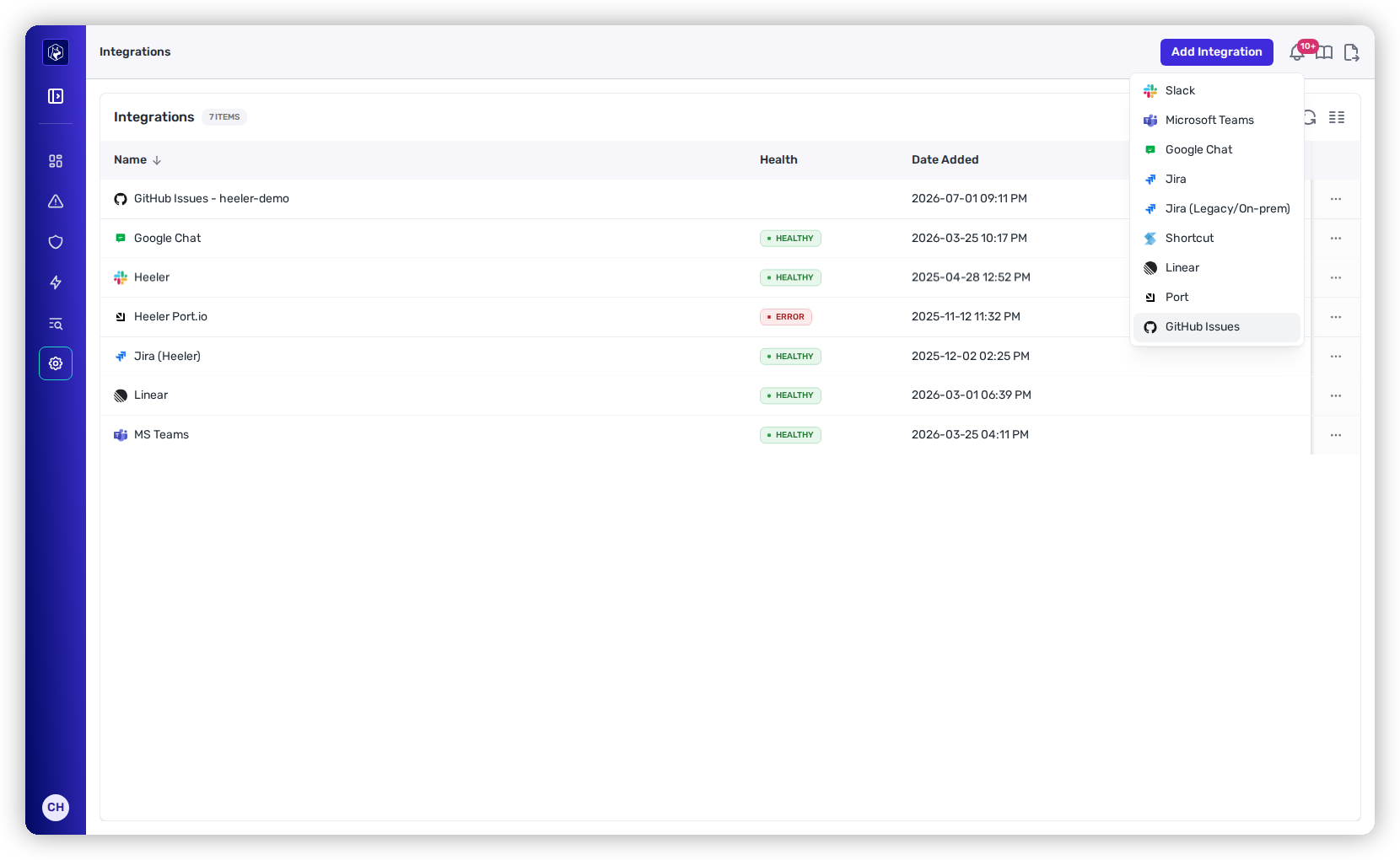
Go to **Administration → Integrations → Add Integration → GitHub Issues**.
{% hint style="info" %}
**GitHub Issues** only appears once GitHub is connected for scanning — there's no app to install here.
{% endhint %}
GitHub Issues appears once GitHub is connected for scanning.
{% endstep %}
{% step %}
### Choose organizations
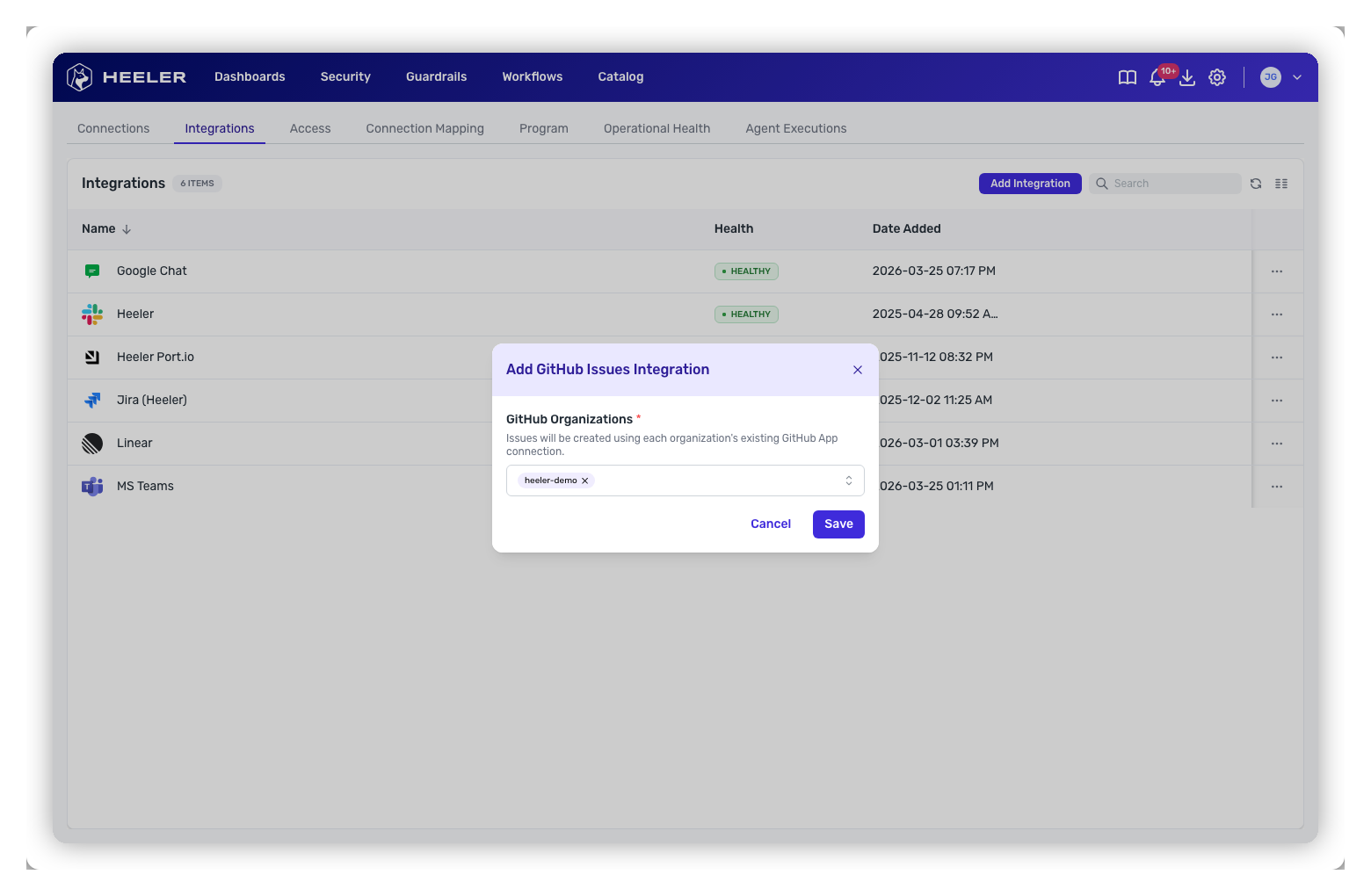
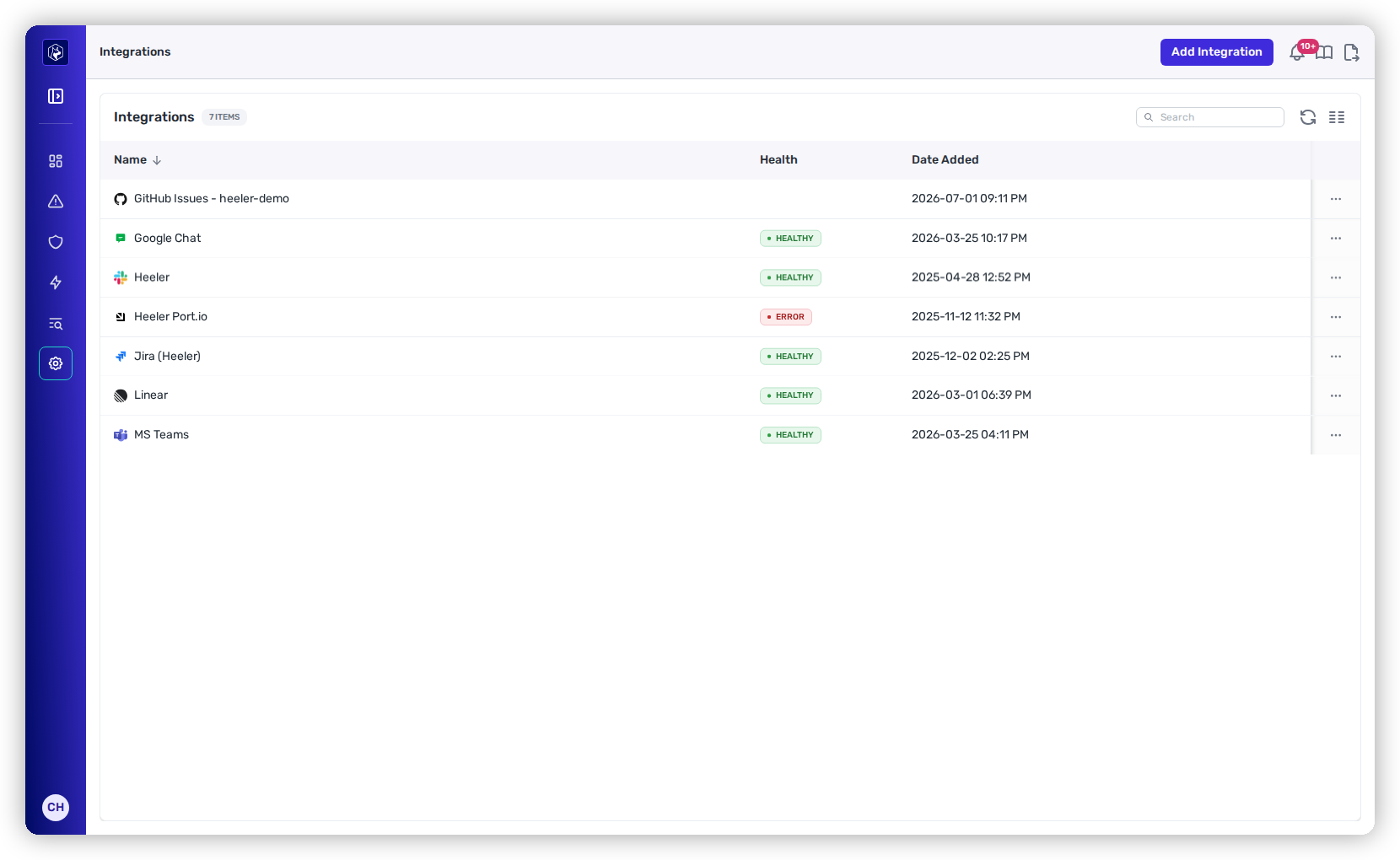
Select the connected GitHub organization(s) to enable, then **Save**. Each selected org becomes its own **GitHub Issues — \** row in the Integrations list and reuses that org's GitHub App.
Pick the connected GitHub organizations to enable issue ticketing for.
{% endstep %}
{% endstepper %}
Each enabled org appears as its own GitHub Issues row.
## Where GitHub Issues appears
Once enabled, GitHub Issues is available wherever Heeler creates tickets:
* **From a finding** — the **Push to GitHub** action on dependency, SAST, secrets, license-violation, and compromised-dependency findings.
* **Workflows** — the **Create GitHub Issue** action.
* [**Team routing**](/mrecEO40m5D6bt7Pq5pE/get-started/map-your-organization/team-ticket-settings.md) — route a team's tickets to a specific repository.
Because one org spans many repositories, the destination is a **repository** (`owner/repo`), not a project. Heeler tags the issues it creates with a `Heeler` label.
## Status synchronization
GitHub doesn't notify Heeler when an issue closes, so Heeler **polls** the issues it created every few hours (the same way it syncs Jira and Linear). When someone closes a Heeler-created issue, Heeler marks the finding's ticket externally resolved and stops posting automated comments.
## Removing it
Open the **⋯** menu on a **GitHub Issues** row and delete it to turn off ticketing for that org — this unlinks it from teams but doesn't affect the GitHub scanning connection. Deleting the underlying GitHub connection also removes its GitHub Issues ticketing.
## Related
* [Connect Your Code → GitHub](/mrecEO40m5D6bt7Pq5pE/get-started/source-code-scm/github.md) — the connection this reuses.
* [Team Ticket Settings](/mrecEO40m5D6bt7Pq5pE/get-started/map-your-organization/team-ticket-settings.md) — route a team's issues to a repository.
---
# Agent Instructions
This documentation is published with GitBook. GitBook is the documentation platform designed so that both humans and AI agents can read, navigate, and reason over technical content effectively. Learn more at gitbook.com.
## Querying This Documentation
If you need additional information that is not directly available in this page, you can query the documentation dynamically by asking a question.
Perform an HTTP GET request on the current page URL with the `ask` query parameter, and the optional `goal` query parameter:
```
GET https://docs.heeler.com/mrecEO40m5D6bt7Pq5pE/get-started/ticketing/github-issues.md?ask=&goal=
```
`ask` is the immediate question: it should be specific, self-contained, and written in natural language.
`goal` is optional and describes the broader end goal you are ultimately trying to accomplish on behalf of the user. GitBook uses it to tailor the answer towards what is most useful for that goal.
The response will contain a direct answer to the question and relevant excerpts and sources from the documentation.
Use this mechanism when the answer is not explicitly present in the current page, you need clarification or additional context, or you want to retrieve related documentation sections.