> For the complete documentation index, see [llms.txt](https://docs.heeler.com/mrecEO40m5D6bt7Pq5pE/llms.txt). Markdown versions of documentation pages are available by appending `.md` to page URLs; this page is available as [Markdown](https://docs.heeler.com/mrecEO40m5D6bt7Pq5pE/get-started/ticketing/jira-legacy-on-prem.md).

# Jira (Legacy/On-prem)

Connect a self-hosted or legacy Jira to Heeler with a server URL and API token.

Heeler runs the same **two-way** Jira integration for **self-hosted or legacy Jira**, authenticating with a **server URL, email, and API token** instead of OAuth. Use this when you can't use the OAuth-based [Jira Cloud](/mrecEO40m5D6bt7Pq5pE/get-started/ticketing/jira-cloud.md) flow — for example, a self-managed instance.

## Before you start

* A Jira account with an **API token**, plus the **email** for that account — Heeler authenticates with email + token (basic auth) against your server URL, not OAuth. Generate the token in your Jira instance.
* That account needs **Browse Projects**, **Create Issues**, and **Edit Issues** permission on every project Heeler will write tickets to.
* Network access from Heeler to your Jira instance.

## Connect Jira

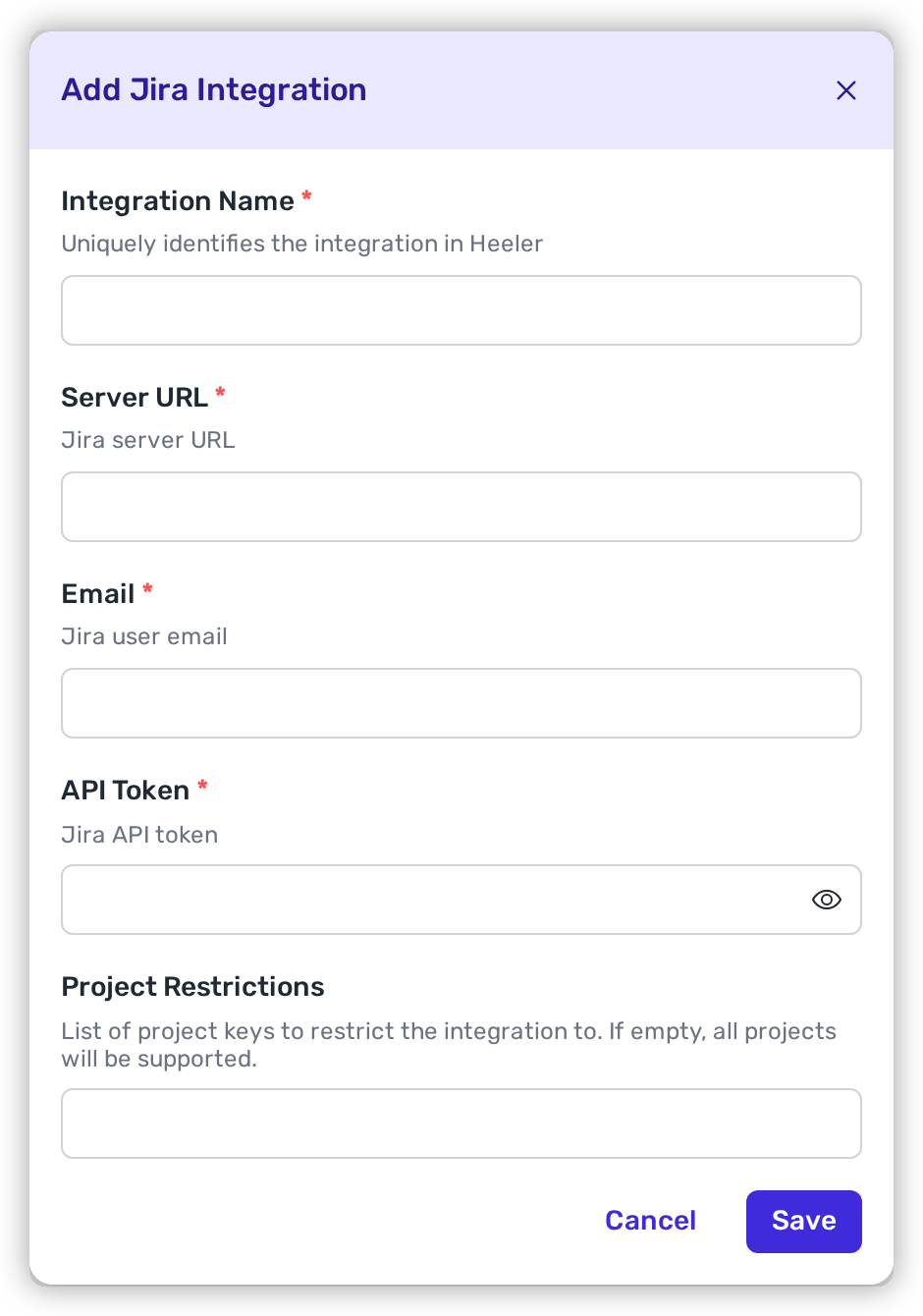
Go to **Administration → Integrations → Add Integration → Jira (Legacy/On-prem)**, then fill in:

<table><thead><tr><th width="210">Field</th><th>Value</th></tr></thead><tbody><tr><td><strong>Integration Name</strong></td><td>A name to identify the connection.</td></tr><tr><td><strong>Server URL</strong></td><td>Your Jira URL, e.g. <code>https://jira.example.com</code>.</td></tr><tr><td><strong>Email</strong></td><td>The email of the user who generated the API token.</td></tr><tr><td><strong>API Token</strong></td><td>The token generated in Jira.</td></tr><tr><td><strong>Project Restrictions</strong></td><td>Optional. Limit the integration to named projects, so Heeler can only create and sync tickets in those. Leave it empty for every project the account can reach.</td></tr></tbody></table>

<figure><img src="https://414480750-files.gitbook.io/~/files/v0/b/gitbook-x-prod.appspot.com/o/spaces%2FXP3dp2kecwKA2KvYkntz%2Fuploads%2Fgit-blob-3d2f02ca46b287f50284e50ebd3a5041154aa01d%2Fcc-int-jira-legacy-01.png?alt=media" alt="The Add Jira Integration modal with Integration Name, Server URL, Email, API Token, and Project Restrictions fields."><figcaption><p>Enter the server URL, email, and API token.</p></figcaption></figure>

Save. In the Integrations list, confirm the Jira row shows **Healthy** — this verifies the server URL, credentials, and network path all resolved. Jira is now available as a destination in [Workflows](/mrecEO40m5D6bt7Pq5pE/operate/workflows.md) and [team routing](/mrecEO40m5D6bt7Pq5pE/get-started/map-your-organization/team-ticket-settings.md). If the row is unhealthy, re-check the server URL, the token's account permissions, and network access to your instance.

## Related

* [Jira Cloud](/mrecEO40m5D6bt7Pq5pE/get-started/ticketing/jira-cloud.md) — the OAuth-based cloud variant.
* [Team Ticket Settings](/mrecEO40m5D6bt7Pq5pE/get-started/map-your-organization/team-ticket-settings.md) — per-team Jira projects.


---

# Agent Instructions
This documentation is published with GitBook. GitBook is the documentation platform designed so that both humans and AI agents can read, navigate, and reason over technical content effectively. Learn more at gitbook.com.

## Querying This Documentation
If you need additional information that is not directly available in this page, you can query the documentation dynamically by asking a question.

Perform an HTTP GET request on the current page URL with the `ask` query parameter, and the optional `goal` query parameter:

```
GET https://docs.heeler.com/mrecEO40m5D6bt7Pq5pE/get-started/ticketing/jira-legacy-on-prem.md?ask=<question>&goal=<endgoal>
```

`ask` is the immediate question: it should be specific, self-contained, and written in natural language.
`goal` is optional and describes the broader end goal you are ultimately trying to accomplish on behalf of the user. GitBook uses it to tailor the answer towards what is most useful for that goal.

The response will contain a direct answer to the question and relevant excerpts and sources from the documentation.

Use this mechanism when the answer is not explicitly present in the current page, you need clarification or additional context, or you want to retrieve related documentation sections.
