> For the complete documentation index, see [llms.txt](https://docs.heeler.com/mrecEO40m5D6bt7Pq5pE/llms.txt). Markdown versions of documentation pages are available by appending `.md` to page URLs; this page is available as [Markdown](https://docs.heeler.com/mrecEO40m5D6bt7Pq5pE/get-started/users-and-access/api-keys.md).
# API Keys
Create and manage tenant API keys — the credentials that authenticate the Heeler REST API and the CLI.
**API keys** are tenant-level credentials that authenticate programmatic access to Heeler — the [REST API](/mrecEO40m5D6bt7Pq5pE/reference.md) and the [CLI](/mrecEO40m5D6bt7Pq5pE/get-started/set-up-developer-tooling/cli.md) (`HEELER_API_KEY`). They act on behalf of your tenant, so treat them like any other secret.
## Before you start
* **Administrator** access in Heeler — creating, managing, and revoking API keys is an admin-only capability (see [Roles and Permissions](/mrecEO40m5D6bt7Pq5pE/get-started/users-and-access/roles-and-permissions.md)).
## Where it lives
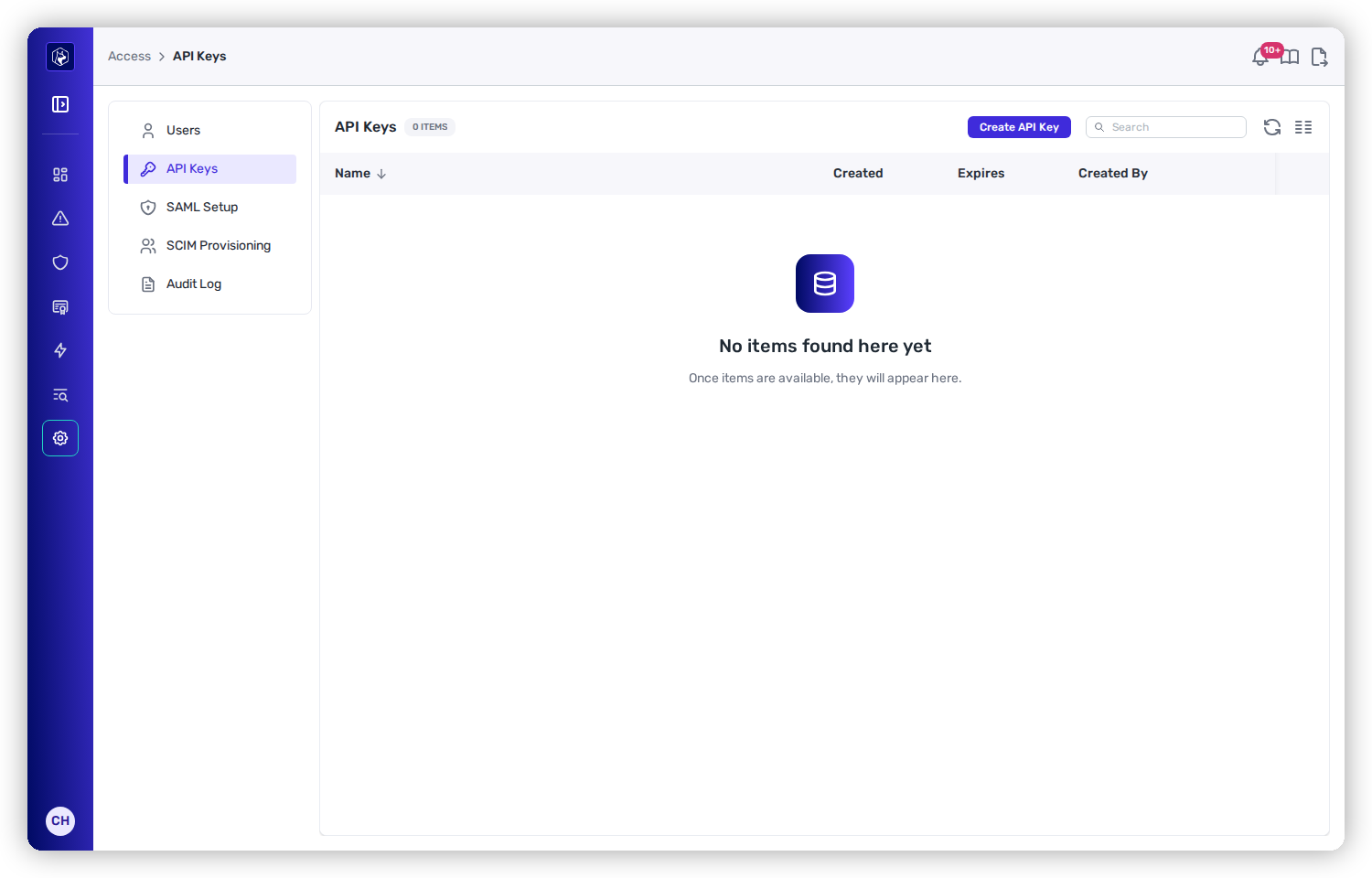
Open **Administration → Access → API Keys**. Each row shows the key's **Name**, **Created**, and **Expires**, with a row action to revoke it.
The API Keys list under Administration → Access → API Keys.
## Create a key
{% stepper %}
{% step %}
### Open the dialog
Click **Create API Key**.
{% endstep %}
{% step %}
### Name it and set an expiration
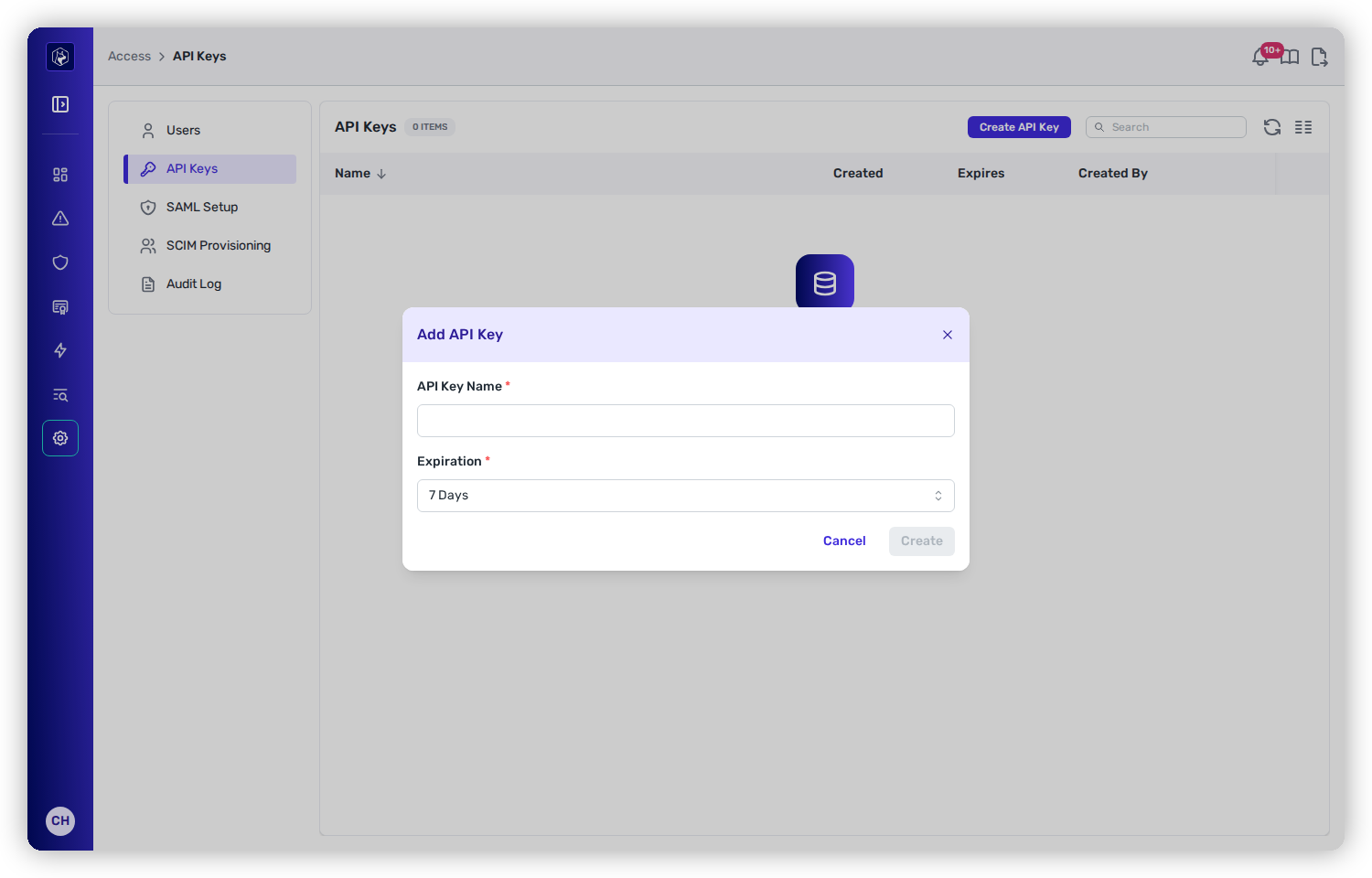
* **API Key Name** — a descriptive name (e.g. `ci-vulnerability-scan`), which is how keys are told apart when one has to be revoked.
* **Expiration** — when the key stops working. Prefer the shortest window that fits the use case, and rotate before it lapses.
Name the key and set an expiration.
{% endstep %}
{% step %}
### Copy the key immediately
Click **Create**. The key value is shown **once** — copy it now and store it in your secret manager. If you lose it, revoke the key and create a new one.
{% endstep %}
{% endstepper %}
## Use a key
* **CLI / CI** — set it as the `HEELER_API_KEY` environment variable (it takes precedence over a stored login's credential, but not over its base URL — set `HEELER_BASE_URL` to choose the tenant). See [Install the CLI](/mrecEO40m5D6bt7Pq5pE/get-started/set-up-developer-tooling/cli.md).
* **REST API** — pass it as a bearer token on your requests. See the [API reference](/mrecEO40m5D6bt7Pq5pE/reference.md), and [Rate Limits](/mrecEO40m5D6bt7Pq5pE/reference/rate-limits.md) for how fast a key may call.
### Verify
Confirm the key authenticates — `heelercli login` validates it against your tenant before saving:
```bash
heelercli login https://app.heeler.com $HEELER_API_KEY
```
An invalid or revoked key is rejected here instead of being saved. For REST calls, pass the key as a bearer token (`Authorization: Bearer `) — see the [API reference](/mrecEO40m5D6bt7Pq5pE/reference.md).
{% hint style="warning" %}
Rotate keys regularly, scope each to one use, and revoke any key that may have been exposed.
{% endhint %}
## Revoke a key
From **Administration → Access → API Keys**, use the row's action menu to delete a key. Revocation is immediate — any client using it starts getting auth errors, so update your automation first.
## Related
* [Roles and Permissions](/mrecEO40m5D6bt7Pq5pE/get-started/users-and-access/roles-and-permissions.md) — who can manage keys, and what a key can do.
* [Install the CLI](/mrecEO40m5D6bt7Pq5pE/get-started/set-up-developer-tooling/cli.md) — where `HEELER_API_KEY` is used.
* [Rate Limits](/mrecEO40m5D6bt7Pq5pE/reference/rate-limits.md) — the request budget a key carries, and how to back off cleanly.
---
# Agent Instructions
This documentation is published with GitBook. GitBook is the documentation platform designed so that both humans and AI agents can read, navigate, and reason over technical content effectively. Learn more at gitbook.com.
## Querying This Documentation
If you need additional information that is not directly available in this page, you can query the documentation dynamically by asking a question.
Perform an HTTP GET request on the current page URL with the `ask` query parameter, and the optional `goal` query parameter:
```
GET https://docs.heeler.com/mrecEO40m5D6bt7Pq5pE/get-started/users-and-access/api-keys.md?ask=&goal=
```
`ask` is the immediate question: it should be specific, self-contained, and written in natural language.
`goal` is optional and describes the broader end goal you are ultimately trying to accomplish on behalf of the user. GitBook uses it to tailor the answer towards what is most useful for that goal.
The response will contain a direct answer to the question and relevant excerpts and sources from the documentation.
Use this mechanism when the answer is not explicitly present in the current page, you need clarification or additional context, or you want to retrieve related documentation sections.