> For the complete documentation index, see [llms.txt](https://docs.heeler.com/mrecEO40m5D6bt7Pq5pE/llms.txt). Markdown versions of documentation pages are available by appending `.md` to page URLs; this page is available as [Markdown](https://docs.heeler.com/mrecEO40m5D6bt7Pq5pE/prevent/pr-guardrails/guardrail-auto-fix.md).
# Guardrail Auto-Fix
Resolve an eligible dependency-vulnerability or SAST violation directly in the pull request.
When a guardrail flags an eligible dependency vulnerability or SAST finding, Heeler can generate the fix for you — upgrading the dependency, or applying a targeted code fix, on the PR's own branch, and re-run the checks.
{% hint style="info" %}
**Who can trigger it:** any developer who can act on the pull request. Because the fix is launched from the PR itself — an **Apply suggestion** or the **Fix w/Heeler** check action — it follows your source-control permissions and does **not** require a Heeler role. (Triggering [Fix Now](/mrecEO40m5D6bt7Pq5pE/fix/sca-auto-fix.md) from inside Heeler is what needs the Team contributor, Organization contributor, or Administrator role.)
{% endhint %}
## The fix sequence
{% stepper %}
{% step %}
### A guardrail detects a violation
During PR analysis, a Vulnerability rule matches an eligible finding.
{% endstep %}
{% step %}
### Heeler offers the fix
On **GitHub**, Heeler posts the fix on the PR — either a one-click **Apply suggestion** block or a **Fix w/Heeler** action in the checks. On the other platforms, Heeler commits the fix directly to the branch (inline suggestions are GitHub-only).
{% endstep %}
{% step %}
### The agent opens the fix
Heeler works on the PR's branch — updating the dependency in the correct manifest (dependency vulnerability) or applying a targeted source-code fix (SAST finding) — runs **build validation**, and pushes the fix back to the same PR.
{% endstep %}
{% step %}
### Checks re-run
The guardrail re-evaluates the updated PR automatically.
{% endstep %}
{% endstepper %}
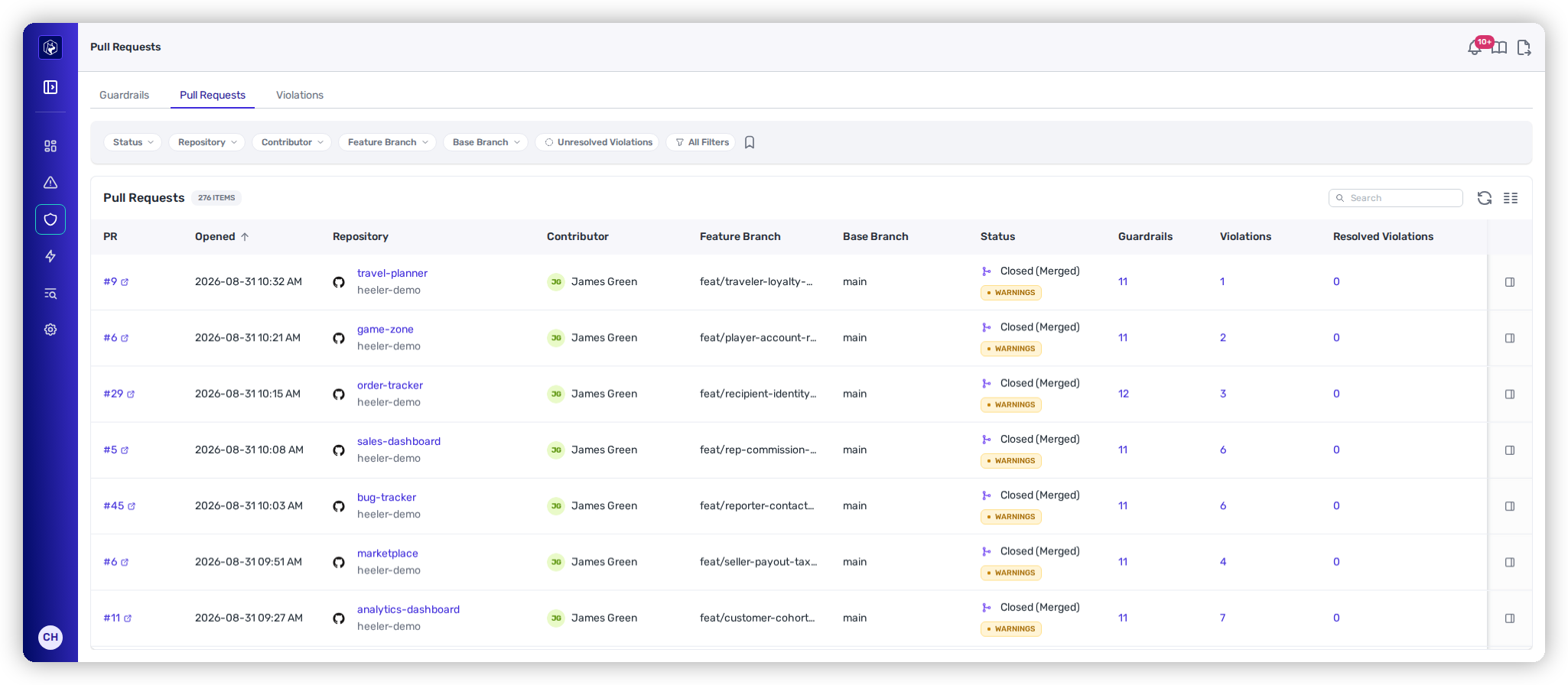
Every evaluated PR, with its guardrails and violations.
### Expected result
When the fix lands and the guardrail re-runs, the check **flips to passing** and the violation shows **Resolved** on the **Violations** tab — no separate PR to chase, the same pull request is now clear to merge.
{% hint style="warning" %}
**If build validation fails.** If the upgrade doesn't build, the agent does **not** push a broken change — it leaves a **comment** on the PR explaining what it attempted, the violation **stays active**, and the fix is **routed to manual review**. Resolve it by hand (or via [SCA Auto-Fix](/mrecEO40m5D6bt7Pq5pE/fix/sca-auto-fix.md) from findings) and push the fix yourself.
{% endhint %}
## Inline suggestion vs. direct commit
How the fix lands depends on the change and the platform:
* **Inline "Apply suggestion" (GitHub only)** — when the fix edits an **existing line** (e.g. a version bump `2.14.1` → `2.17.1`), the change is **small (≤ 10 edit locations)**, and the branch has not changed since analysis. You apply it from the suggestion block.
* **Direct commit** — in every other case (a non-GitHub platform, newly *inserted* lines, more than 10 edit locations, or a branch that moved since analysis), Heeler commits the fix to the branch and leaves a comment explaining it.
* **A new pull request** — when the target branch **forbids direct pushes**. Rather than failing the push against a protected branch, Heeler opens a pull request carrying the fix, so branch protection stays intact and the change goes through review like any other. Fixes for a blocked pull request are made on that pull request's own feature branch, so the fix returns to the PR that was blocked.
## What's eligible
{% hint style="info" %}
A violation is auto-fixable when Heeler can generate a safe, buildable change for it:
* **Dependency Vulnerability** — the rule is a Dependency Vulnerability (not hygiene), the dependency is **direct** (not transitive), and a **fix version is available**. The fix is a version upgrade.
* **SAST finding** — the finding matches a supported fix pattern (for example parameterizing a query, escaping output, allowlisting input, or normalizing a path) with a high-confidence, deterministic **code fix**. The fix is a targeted source-code change, not a version bump.
{% endhint %}
Hygiene violations, transitive vulnerabilities, and SAST findings without a high-confidence fix are routed to manual review instead. The **guardrail summary reports how many of a PR's matched findings are auto-fixable**, and each qualifying violation carries an **Auto-Fixable** marker.
## Guidance on the violation itself
A blocking SAST violation isn't only a rule name. Open the violation and it carries **remediation guidance** for the weakness plus a **fix example in the language of the file** — so a developer who isn't going to use the agent still has the information needed to fix it by hand.
The same guidance is given to the fixing agent as context, which means the advice a developer reads and the change the agent proposes come from one source rather than diverging.
## Scope, batching, and safety
* **Module-scoped.** In a monorepo, the agent restricts its changes to the **code root (module)** that triggered the violation — it won't touch unrelated modules.
* **Batched.** Where possible, multiple eligible violations on one PR are resolved in a **single commit**.
* **Serialized per PR.** Only one auto-fix runs against a given PR at a time; further requests wait for the current one to finish.
## Related
* [Dependency (SCA) Guardrails](/mrecEO40m5D6bt7Pq5pE/prevent/pr-guardrails/guardrail-types/dependency-sca-guardrails.md)
* [SAST Guardrails](/mrecEO40m5D6bt7Pq5pE/prevent/pr-guardrails/guardrail-types/sast-guardrails.md)
* [SCA Auto-Fix](/mrecEO40m5D6bt7Pq5pE/fix/sca-auto-fix.md) — dependency upgrades, run from findings.
* [SAST Auto-Fix](/mrecEO40m5D6bt7Pq5pE/fix/sast-auto-fix.md) — deterministic code fixes, run from findings.
* [Validate and Merge-Ready](/mrecEO40m5D6bt7Pq5pE/fix/validate-and-merge-ready.md) — the CI Testing Loop that validates the fix.
* [Automate Remediation](/mrecEO40m5D6bt7Pq5pE/fix/automate-remediation.md) — the same fix, run from a workflow.
* [Remediation Agent](/mrecEO40m5D6bt7Pq5pE/administer-and-monitor/program-policy/remediation-agent.md#memories) — the memories the remediation agent reads, and the PR template it follows.
---
# Agent Instructions
This documentation is published with GitBook. GitBook is the documentation platform designed so that both humans and AI agents can read, navigate, and reason over technical content effectively. Learn more at gitbook.com.
## Querying This Documentation
If you need additional information that is not directly available in this page, you can query the documentation dynamically by asking a question.
Perform an HTTP GET request on the current page URL with the `ask` query parameter, and the optional `goal` query parameter:
```
GET https://docs.heeler.com/mrecEO40m5D6bt7Pq5pE/prevent/pr-guardrails/guardrail-auto-fix.md?ask=&goal=
```
`ask` is the immediate question: it should be specific, self-contained, and written in natural language.
`goal` is optional and describes the broader end goal you are ultimately trying to accomplish on behalf of the user. GitBook uses it to tailor the answer towards what is most useful for that goal.
The response will contain a direct answer to the question and relevant excerpts and sources from the documentation.
Use this mechanism when the answer is not explicitly present in the current page, you need clarification or additional context, or you want to retrieve related documentation sections.