> For the complete documentation index, see [llms.txt](https://docs.heeler.com/mrecEO40m5D6bt7Pq5pE/llms.txt). Markdown versions of documentation pages are available by appending `.md` to page URLs; this page is available as [Markdown](https://docs.heeler.com/mrecEO40m5D6bt7Pq5pE/standards-and-compliance/compliance-reports.md).

# Compliance Reports

The two point-in-time documents Heeler produces — a standards assessment and a regulated-data compliance report — and how to scope each one.

Views are for working. **Reports** are for the moment someone outside the product asks a question and needs the answer as a document: an auditor, a customer security review, a regulator.

Heeler produces two, and they answer different questions:

| Report                | Answers                                        | Generated from                                                                                  |
| --------------------- | ---------------------------------------------- | ----------------------------------------------------------------------------------------------- |
| **Standards report**  | *Does this application meet the standard?*     | An application's [Standards tab](/mrecEO40m5D6bt7Pq5pE/standards-and-compliance/assessments.md) |
| **Compliance report** | *What regulated data do we handle, and where?* | [Data Inventory](/mrecEO40m5D6bt7Pq5pE/catalog/data-inventory.md)                               |

Both are **point-in-time**. They state the scope they were generated under, so a report can be read months later without guessing what was in it.

## Standards report

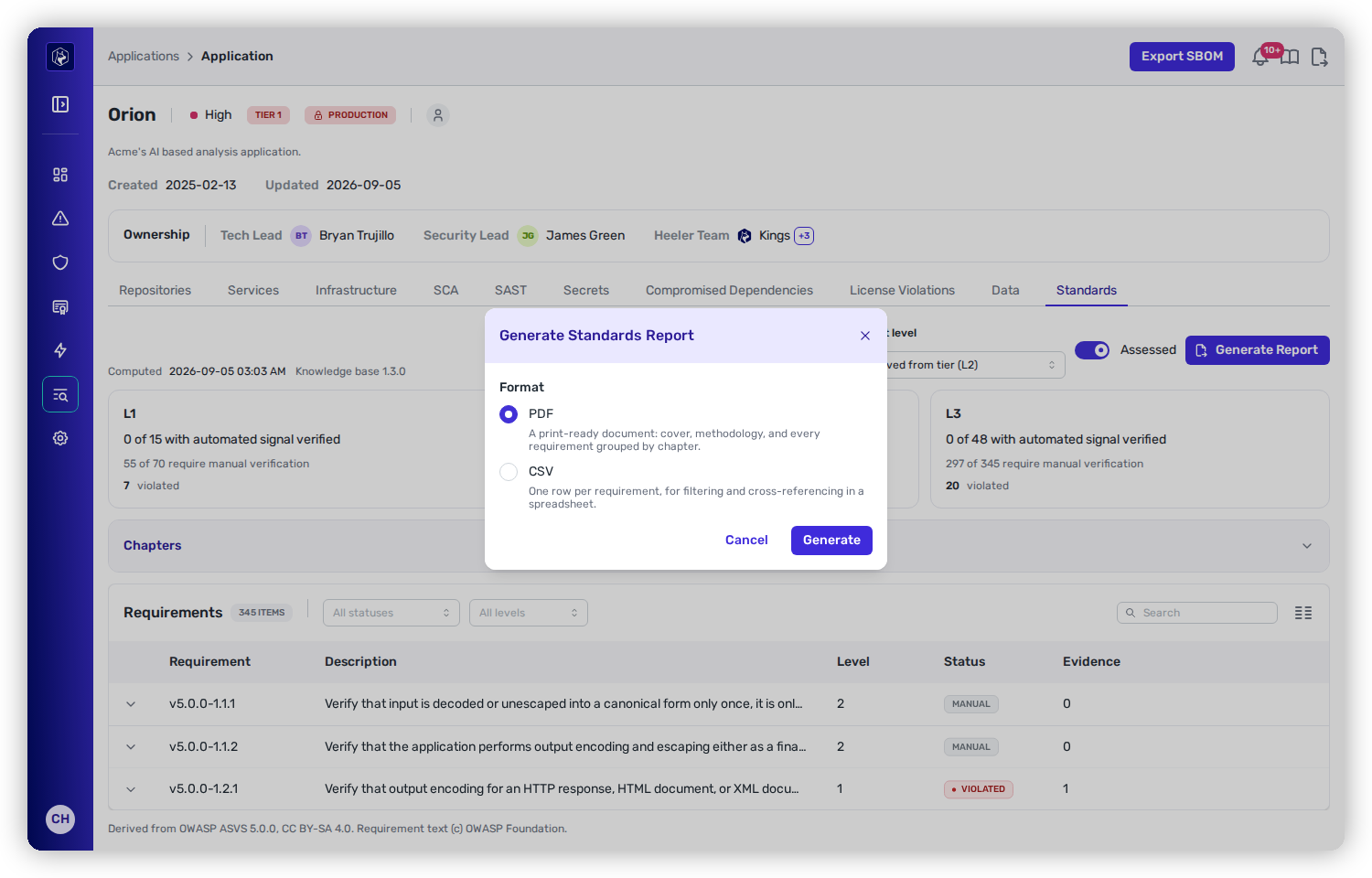
From an application's **Standards** tab, select **Generate Report**.

<figure><img src="https://414480750-files.gitbook.io/~/files/v0/b/gitbook-x-prod.appspot.com/o/spaces%2FXP3dp2kecwKA2KvYkntz%2Fuploads%2Fgit-blob-5eea89b746699cc708c0b8dcc1c8ba37d0c1ac29%2Fsc-standards-report.png?alt=media" alt="The Generate Standards Report dialog offering PDF and CSV formats, over an application&#x27;s Standards tab showing level cards and the requirements table."><figcaption><p>Generate Standards Report — the same assessment, as a document or as data.</p></figcaption></figure>

| Format  | What you get                                                                                                                                                                                                                        |
| ------- | ----------------------------------------------------------------------------------------------------------------------------------------------------------------------------------------------------------------------------------- |
| **PDF** | A print-ready document: cover, methodology, and every requirement grouped by chapter. The methodology section matters — it is what tells a reader which requirements were verified from evidence and which need manual attestation. |
| **CSV** | One row per requirement, for filtering and cross-referencing in a spreadsheet.                                                                                                                                                      |

The report covers the application it was generated from, at its current target level, using the assessment computed at the timestamp shown on the tab.

{% hint style="info" %}
A standards report is a statement of what Heeler could verify, not a certification. The **manual** requirements are still yours to attest to — the report's value is that it tells an assessor exactly which ones those are, so the manual effort goes where it is actually needed.
{% endhint %}

## Compliance report

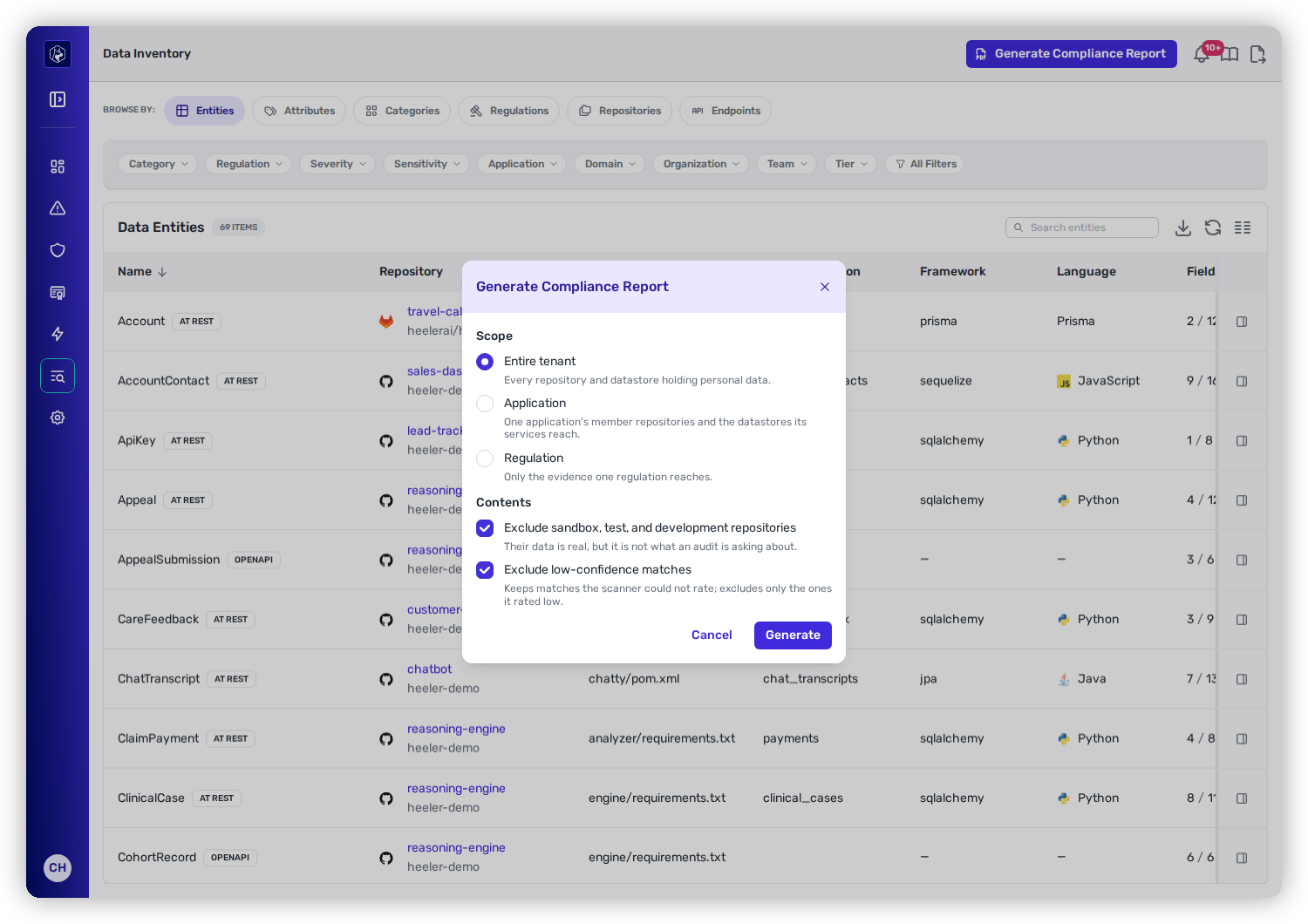
From [Data Inventory](/mrecEO40m5D6bt7Pq5pE/catalog/data-inventory.md), select **Generate Compliance Report**.

<figure><img src="https://414480750-files.gitbook.io/~/files/v0/b/gitbook-x-prod.appspot.com/o/spaces%2FXP3dp2kecwKA2KvYkntz%2Fuploads%2Fgit-blob-cc01f5354aa633d2bdc7c1daa69e144a68dfa87a%2Fsc-compliance-report.png?alt=media" alt="The Generate Compliance Report dialog with scope options for entire tenant, application or regulation, and two content exclusions for sandbox repositories and low-confidence matches, both checked."><figcaption><p>Generate Compliance Report — scope it to the question being asked, and exclude what an audit is not asking about.</p></figcaption></figure>

**Scope** it to the question:

| Scope             | Covers                                                                                                                     |
| ----------------- | -------------------------------------------------------------------------------------------------------------------------- |
| **Entire tenant** | Every repository and datastore holding personal data.                                                                      |
| **Application**   | One application's member repositories, and the datastores its services reach.                                              |
| **Regulation**    | Only the evidence one regulation reaches — the right choice when the request is specifically about GDPR, or HIPAA, or PCI. |

**Contents** has two exclusions, both **on by default**:

* **Exclude sandbox, test, and development repositories.** Their data is real, but it is not what an audit is asking about. Leave this on unless you specifically need the wider picture.
* **Exclude low-confidence matches.** Worth reading precisely: this drops the matches the scanner *rated* low, and **keeps** the ones it could not rate at all. Unrated is not the same as unlikely, and the report does not quietly discard it.

## Where else this comes up

The compliance report is reachable from more than one Data Inventory view, and each scopes to what you are looking at:

* [Data Inventory](/mrecEO40m5D6bt7Pq5pE/catalog/data-inventory.md#compliance-report) — the classified data in the current scope.
* [Regulations](/mrecEO40m5D6bt7Pq5pE/catalog/data-inventory/regulations.md) — a document for the regulations in the current scope.
* [Endpoints](/mrecEO40m5D6bt7Pq5pE/catalog/data-inventory/endpoints.md) — which endpoints handle regulated data. This view also exports to CSV and is available on the API, so the recurring version of the question can be a scheduled query rather than a manual review.

## Related

* [Assessments](/mrecEO40m5D6bt7Pq5pE/standards-and-compliance/assessments.md) — what the standards report is a snapshot of.
* [Data Inventory](/mrecEO40m5D6bt7Pq5pE/catalog/data-inventory.md) — where classified data comes from.
* [Filtering and Exports](/mrecEO40m5D6bt7Pq5pE/operate/dashboards/filtering-and-exports.md) — the CSV exports available on the listings themselves.


---

# Agent Instructions
This documentation is published with GitBook. GitBook is the documentation platform designed so that both humans and AI agents can read, navigate, and reason over technical content effectively. Learn more at gitbook.com.

## Querying This Documentation
If you need additional information that is not directly available in this page, you can query the documentation dynamically by asking a question.

Perform an HTTP GET request on the current page URL with the `ask` query parameter, and the optional `goal` query parameter:

```
GET https://docs.heeler.com/mrecEO40m5D6bt7Pq5pE/standards-and-compliance/compliance-reports.md?ask=<question>&goal=<endgoal>
```

`ask` is the immediate question: it should be specific, self-contained, and written in natural language.
`goal` is optional and describes the broader end goal you are ultimately trying to accomplish on behalf of the user. GitBook uses it to tailor the answer towards what is most useful for that goal.

The response will contain a direct answer to the question and relevant excerpts and sources from the documentation.

Use this mechanism when the answer is not explicitly present in the current page, you need clarification or additional context, or you want to retrieve related documentation sections.