> For the complete documentation index, see [llms.txt](https://docs.heeler.com/mrecEO40m5D6bt7Pq5pE/llms.txt). Markdown versions of documentation pages are available by appending `.md` to page URLs; this page is available as [Markdown](https://docs.heeler.com/mrecEO40m5D6bt7Pq5pE/operate/workflows/conditions.md).

# Conditions

How conditions filter a trigger's events down to the ones worth acting on — filter types and operators, the triggers that require a condition, and the full set of filters available for each trigger.

Conditions decide **which** of a trigger's events are worth acting on. A "New Finding Detected" trigger fires constantly; conditions are how you say *"…but only the critical ones, on a Tier 1 service, that have a fix."* Without them, a busy trigger would fire its actions on everything.

<figure><img src="https://414480750-files.gitbook.io/~/files/v0/b/gitbook-x-prod.appspot.com/o/spaces%2FXP3dp2kecwKA2KvYkntz%2Fuploads%2Fgit-blob-b85681d3f3994d96d048f678c2096a48062b39b6%2Fcc-wf-condition.png?alt=media" alt="The Condition step of the builder: a Filter set to Auto-Fixable, an Operator of Is, and a Value of True, with a padlock icon and an Add Filter button."><figcaption><p>A condition is a Filter, an Operator, and a Value. The padlock marks a filter an action locked on for you.</p></figcaption></figure>

{% hint style="info" %}
**Conditions vs. data elements.** Conditions are what you *filter on* — the fields Heeler evaluates to decide whether to act. [Workflow data elements](/mrecEO40m5D6bt7Pq5pE/reference/workflow-trigger-data-elements.md) are what you *print* — the values you insert into a message, ticket, or webhook. Same trigger data, two different jobs.
{% endhint %}

## How a condition is built

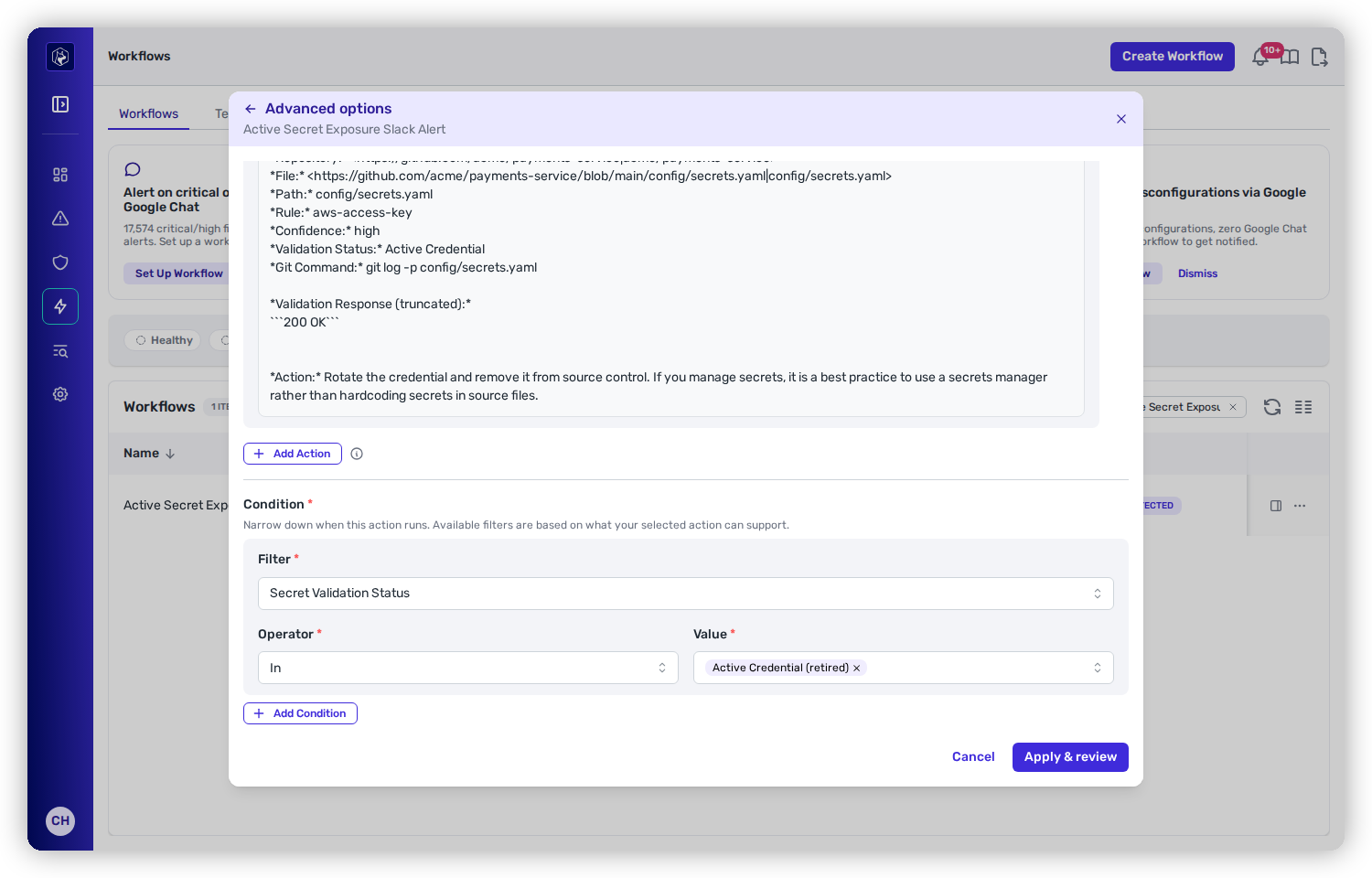
Each condition is a row with three parts — a **Filter** (what to look at), an **Operator** (how to compare), and a **Value**. Add as many as you like with **Add Filter**; they're combined with **AND**, so an event has to satisfy *every* condition to proceed. Values *within* a single multi-select filter are OR'd, so "CVSS Severity is one of Critical, High" matches either.

Add no conditions — or the catch-all **Accept All** filter — and the workflow fires on every event the trigger produces.

The operators you get depend on the filter's type:

<table><thead><tr><th width="190">Filter type</th><th width="230">Operators</th><th>What it's for</th></tr></thead><tbody><tr><td>Multi-select</td><td><code>in</code>, <code>not in</code></td><td>Pick one or more values from a fixed or data-driven list.</td></tr><tr><td>Integer</td><td><code>==</code> <code>!=</code> <code>&#x3C;</code> <code>&#x3C;=</code> <code>></code> <code>>=</code></td><td>Whole-number comparison (some filters restrict this — for example a "days" filter may allow only <code>&#x3C;=</code> and <code>==</code>).</td></tr><tr><td>Float</td><td><code>==</code> <code>!=</code> <code>&#x3C;</code> <code>&#x3C;=</code> <code>></code> <code>>=</code></td><td>Decimal comparison, e.g. a CVSS or EPSS score.</td></tr><tr><td>Boolean</td><td><code>==</code>, <code>!=</code></td><td>A true/false toggle.</td></tr><tr><td>String</td><td><code>==</code>, <code>!=</code></td><td>Exact text match, e.g. a package name or vulnerability ID.</td></tr><tr><td>No input</td><td>—</td><td>Evaluated on its own as a yes/no — no value to enter (e.g. "SLO Past Due").</td></tr><tr><td>JQ (Advanced)</td><td>—</td><td>A raw JQ expression plus the value you expect it to produce. For cases the built-in filters can't express.</td></tr></tbody></table>

{% hint style="warning" %}
Workflows that use a **JQ (Advanced)** filter can't be [run in batch](/mrecEO40m5D6bt7Pq5pE/operate/workflows/execution-and-management.md#running-a-workflow-on-demand) — JQ is evaluated per event, not translated into a bulk query.
{% endhint %}

## Required conditions

Two triggers won't save until you add at least one condition from a specific set — otherwise they'd fire on an unbounded stream of "approaching" dates:

<table><thead><tr><th width="290">Trigger</th><th>Needs at least one of</th></tr></thead><tbody><tr><td><strong>SLO Expiring</strong></td><td>SLO Due Within (Days) · SLO Past Due · SAST SLO Due Within (Days) · SAST SLO Past Due</td></tr><tr><td><strong>Finding Override Expiration</strong></td><td>SLO Override Due In (Days) · SLO Override Past Due · Risk Override Expires In (Days) · Risk Override Expired</td></tr></tbody></table>

## Conditions an action sets for you

Some actions add and lock a condition automatically, because they only make sense for certain events. Adding the **Fix with Heeler Agent** action locks an **Auto-Fixable is True** condition (the padlock in the screenshot above) and limits the **Fixability** filter to the tiers the agent can handle — the agent only acts on findings it can generate and validate a fix for. You can still add your own conditions alongside it.

## Available filters by trigger

The filters offered depend on the trigger. The groups below list what each surfaces, with exact values for the fixed-choice filters. Filters marked *data-driven* populate from your own environment (your repositories, teams, rules, and so on).

### Finding and vulnerability filters

*Apply to: New Finding Detected, New Finding Override, New Finding Fix Available, Finding Override Expiration, SLO Expiring.*

<table><thead><tr><th width="230">Filter</th><th width="130">Type</th><th>Values / notes</th></tr></thead><tbody><tr><td>CVSS Severity</td><td>Multi-select</td><td>Critical, High, Medium, Low</td></tr><tr><td>CVSS Score</td><td>Float</td><td>0–10</td></tr><tr><td>Exploit Status</td><td>Multi-select</td><td>Likely Not Exploited, Possibly Exploited, Actively Exploited</td></tr><tr><td>Heeler Risk</td><td>Multi-select</td><td>Defer, Plan, Urgent</td></tr><tr><td>Fix Available</td><td>Boolean</td><td></td></tr><tr><td>Package Ecosystem</td><td>Multi-select</td><td>Your dependency ecosystems</td></tr><tr><td>SLO Override Reason</td><td>Multi-select</td><td>No Fix Available, Fix Complexity, Not a Priority, Other <em>(New Finding Fix Available only)</em></td></tr></tbody></table>

### Remediation filters

*Apply to: New Remediation Available.*

<table><thead><tr><th width="230">Filter</th><th width="130">Type</th><th>Values / notes</th></tr></thead><tbody><tr><td>CVSS Severity</td><td>Multi-select</td><td>Critical, High, Medium, Low, None</td></tr><tr><td>CVSS Severity (most severe)</td><td>Integer</td><td>Critical, High, Medium, Low, None, ordered highest to lowest. Operators <code>==</code> <code>!=</code> <code>&#x3C;</code> <code>&#x3C;=</code> <code>></code> <code>>=</code></td></tr><tr><td>CVSS Score</td><td>Float</td><td>0–10</td></tr><tr><td>EPSS</td><td>Float</td><td>Exploit-prediction score</td></tr><tr><td>Exploit Threat</td><td>Multi-select</td><td>Likely Not Exploited, Possibly Exploited, Actively Exploited</td></tr><tr><td>Heeler Risk</td><td>Multi-select</td><td>Defer, Plan, Urgent</td></tr><tr><td>Solution Type</td><td>Multi-select</td><td>Specific Version, Version Range, No Fix Available, Deprecated Package, Migrate Package</td></tr><tr><td>Fixability</td><td>Multi-select</td><td>Easy, Medium, Hard, Unknown</td></tr><tr><td>Auto-Fixable</td><td>Boolean</td><td>Locked to <code>True</code> when the Fix with Heeler Agent action is used</td></tr><tr><td>Direct Dependency</td><td>Boolean</td><td></td></tr><tr><td>Package Name</td><td>String</td><td>Exact match</td></tr><tr><td>Vulnerability ID</td><td>String</td><td>Exact match (CVE, GHSA, PYSEC, …)</td></tr></tbody></table>

#### Choosing between the two severity filters

A remediation covers several findings at once, and the two severity filters read that set differently.

| Filter                          | What it tests                                                                      |
| ------------------------------- | ---------------------------------------------------------------------------------- |
| **CVSS Severity**               | Whether *any* finding on the remediation has one of the selected severities        |
| **CVSS Severity (most severe)** | The severity of the remediation's most severe active finding, as one ordered value |

A remediation carrying a Critical finding and a Low finding matches **CVSS Severity** under Critical and under Low. Two workflows built as complementary branches on that filter both fire on it.

**CVSS Severity (most severe)** gives one value per remediation, so a comparison splits the set with no overlap. Use it to send `>= High` remediations down one path and `< High` remediations down another, with each remediation taking exactly one path.

### SAST finding filters

*Apply to: New SAST Finding Detected. (SLO Expiring adds SAST SLO Due Within (Days) and SAST SLO Past Due; New Finding Override adds SAST SLO Override Reason.)*

<table><thead><tr><th width="230">Filter</th><th width="130">Type</th><th>Values / notes</th></tr></thead><tbody><tr><td>Severity</td><td>Multi-select</td><td>Critical, High, Medium, Low, Info</td></tr><tr><td>Confidence</td><td>Multi-select</td><td>High, Medium, Low, Unknown</td></tr><tr><td>Rule</td><td>Multi-select</td><td>Data-driven</td></tr><tr><td>Category</td><td>Multi-select</td><td>Data-driven</td></tr><tr><td>Finding Lane</td><td>Multi-select</td><td>Indicator of Compromise, Vulnerability (CWE), Supply Chain, Code Quality — act on a whole class of finding without naming rules one at a time</td></tr></tbody></table>

### Secret filters

*Apply to: New Secret Detected.*

<table><thead><tr><th width="290">Filter</th><th width="130">Type</th><th>Values</th></tr></thead><tbody><tr><td>Secret Validation Status</td><td>Multi-select</td><td>Rotate Now, Rotate, Triage, No Action, Expected. Each value selects the underlying statuses in that action bucket.</td></tr><tr><td>Secret Confidence</td><td>Multi-select</td><td>High, Medium, Low, Unknown</td></tr><tr><td>Secret Visibility in Default Branch</td><td>Multi-select</td><td>Visible in Default Branch, Not Visible in Default Branch</td></tr></tbody></table>

### License violation filters

*Apply to: Dependency License Violation.*

<table><thead><tr><th width="230">Filter</th><th width="130">Type</th></tr></thead><tbody><tr><td>Dependency Active</td><td>Boolean</td></tr><tr><td>Direct Dependency</td><td>Boolean</td></tr></tbody></table>

### Agent file filters

*Apply to: New At-Risk Agent File Detected.*

<table><thead><tr><th width="230">Filter</th><th width="130">Type</th><th>Values</th></tr></thead><tbody><tr><td>Assessed Intent</td><td>Multi-select</td><td>Malicious, Suspicious, Benign</td></tr></tbody></table>

### Guardrail filters

*Apply to: PR Merged with Unresolved Guardrail Violations.*

<table><thead><tr><th width="250">Filter</th><th width="130">Type</th><th>Values / notes</th></tr></thead><tbody><tr><td>Guardrail Action Level</td><td>Multi-select</td><td>Block, Warn</td></tr><tr><td>Guardrail Rule</td><td>Multi-select</td><td>Data-driven</td></tr><tr><td>CVSS Severity</td><td>Multi-select</td><td>Critical, High, Medium, Low</td></tr><tr><td>Base Branch</td><td>Multi-select</td><td>Data-driven</td></tr><tr><td>SCM Provider</td><td>Multi-select</td><td>GitHub, GitLab, Bitbucket</td></tr><tr><td>Contributor</td><td>Multi-select</td><td>Data-driven</td></tr><tr><td>Branch Protection Circumvented</td><td>Boolean</td><td></td></tr></tbody></table>

### SLO and override timing filters

*The "days"/"past due" filters used by the SLO Expiring and override-expiration triggers (see* [*Required conditions*](#required-conditions)*).*

<table><thead><tr><th width="290">Filter</th><th width="150">Type</th><th>Notes</th></tr></thead><tbody><tr><td>SLO Due Within (Days)</td><td>Integer</td><td>Operators <code>&#x3C;=</code>, <code>==</code></td></tr><tr><td>SLO Past Due</td><td>No input</td><td>Fires once the SLO is past due</td></tr><tr><td>SAST SLO Due Within (Days)</td><td>Integer</td><td>Operators <code>&#x3C;=</code>, <code>==</code></td></tr><tr><td>SAST SLO Past Due</td><td>No input</td><td></td></tr><tr><td>SLO Override Due In (Days)</td><td>Integer</td><td>Operator <code>==</code></td></tr><tr><td>SLO Override Past Due</td><td>No input</td><td></td></tr><tr><td>Risk Override Expires In (Days)</td><td>Integer</td><td>Operator <code>==</code></td></tr><tr><td>Risk Override Expired</td><td>No input</td><td></td></tr></tbody></table>

### Behavioral detection filters

*Apply to: New Behavioral Detection.*

<table><thead><tr><th width="230">Filter</th><th width="130">Type</th><th>Values / notes</th></tr></thead><tbody><tr><td>Detection Query</td><td>Multi-select</td><td>Which checks to act on, by name — Activity from unapproved country, Rapid repository cloning, Protected branch policy overridden, and the rest of the <a href="/mrecEO40m5D6bt7Pq5pE/findings/behavioral-checks.md">catalog</a></td></tr><tr><td>Detection Severity</td><td>Multi-select</td><td>Critical, High, Medium, Low, Info — informational detections such as an agent-created pull request are selectable, so a workflow can carry them or leave them out</td></tr></tbody></table>

### Repository and ownership filters

Available on most triggers to scope by where the event happened or who owns it:

<table><thead><tr><th width="230">Filter</th><th>Scope</th></tr></thead><tbody><tr><td>Repository</td><td>All triggers except New Repository Discovered and Repository Deleted</td></tr><tr><td>Starred Repository</td><td>All triggers except New Repository Discovered and Repository Deleted</td></tr><tr><td>Package Name / Vulnerability ID</td><td>All triggers except New Repository Discovered and Repository Deleted</td></tr><tr><td>Tech Lead · Security Lead · Team · Sub-Group</td><td>All triggers (Sub-Group applies to GitLab groups)</td></tr><tr><td>Application</td><td>All triggers except New Repository Discovered and Repository Deleted — application membership is a property of the repository, so it is offered wherever the repository is known, not only on finding triggers</td></tr><tr><td>Source · Organization / Group</td><td>New Repository Discovered, Repository Deleted, and Repository Renamed only</td></tr></tbody></table>

### Advanced

<table><thead><tr><th width="230">Filter</th><th width="130">Type</th><th>Notes</th></tr></thead><tbody><tr><td>Accept All</td><td>No input</td><td>Always matches — use it to fire on every event.</td></tr><tr><td>JQ Filter (Advanced)</td><td>String</td><td>A raw JQ expression and the expected value. Blocks batch runs.</td></tr></tbody></table>

## Related

* [Triggers](/mrecEO40m5D6bt7Pq5pE/operate/workflows/triggers.md) — the events these conditions filter.
* [Actions](/mrecEO40m5D6bt7Pq5pE/operate/workflows/actions.md) — what runs once conditions are met.
* [Workflow Trigger Data Elements](/mrecEO40m5D6bt7Pq5pE/reference/workflow-trigger-data-elements.md) — the full field set behind these filters.


---

# Agent Instructions
This documentation is published with GitBook. GitBook is the documentation platform designed so that both humans and AI agents can read, navigate, and reason over technical content effectively. Learn more at gitbook.com.

## Querying This Documentation
If you need additional information that is not directly available in this page, you can query the documentation dynamically by asking a question.

Perform an HTTP GET request on the current page URL with the `ask` query parameter, and the optional `goal` query parameter:

```
GET https://docs.heeler.com/mrecEO40m5D6bt7Pq5pE/operate/workflows/conditions.md?ask=<question>&goal=<endgoal>
```

`ask` is the immediate question: it should be specific, self-contained, and written in natural language.
`goal` is optional and describes the broader end goal you are ultimately trying to accomplish on behalf of the user. GitBook uses it to tailor the answer towards what is most useful for that goal.

The response will contain a direct answer to the question and relevant excerpts and sources from the documentation.

Use this mechanism when the answer is not explicitly present in the current page, you need clarification or additional context, or you want to retrieve related documentation sections.
