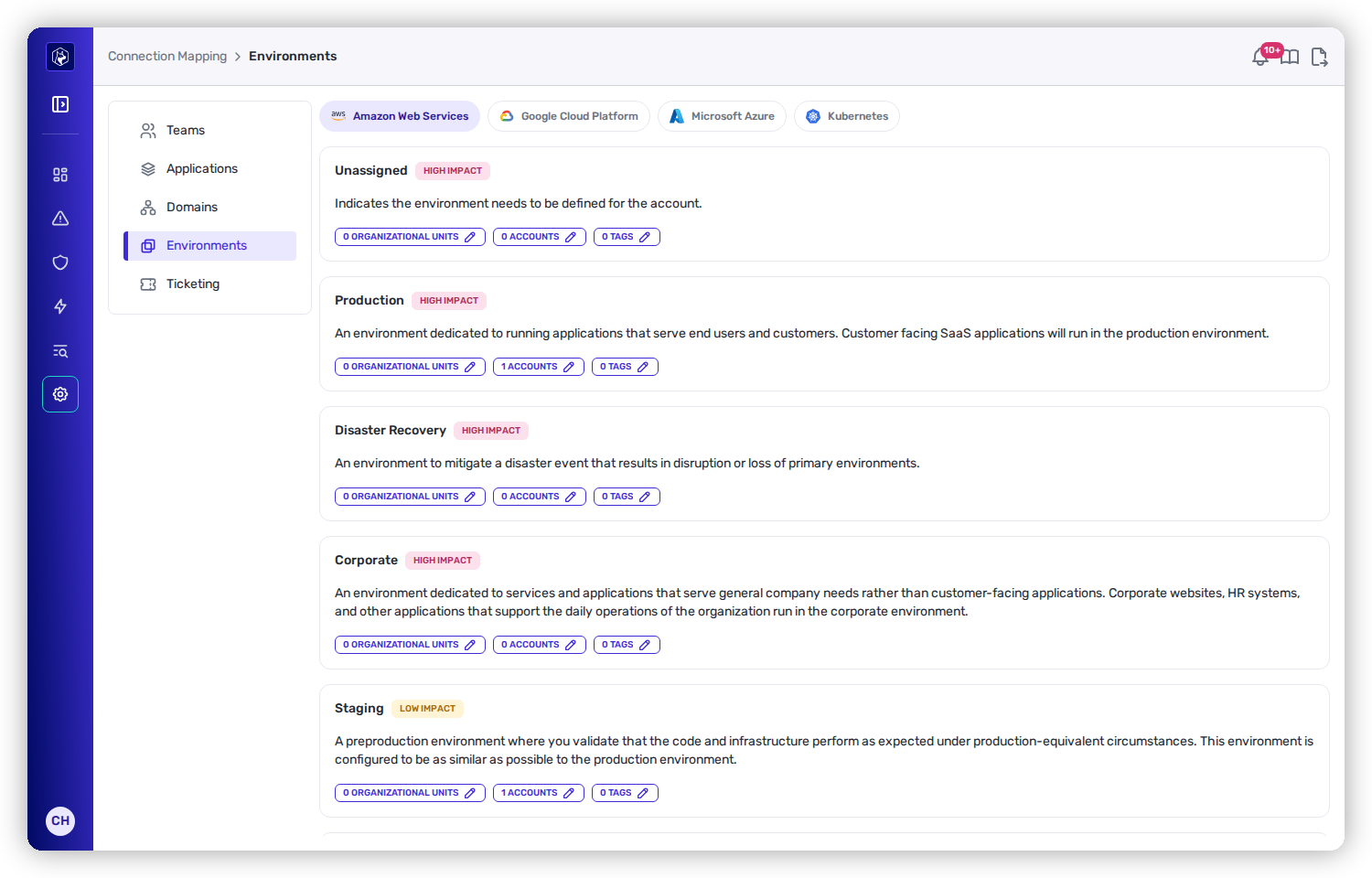
Environment boundaries per cloud provider, each with its business-impact weighting and assigned accounts.
| Environment | What it is | Impact |
|---|---|---|
| Production | Runs apps that serve end users and customers. | High |
| Disaster Recovery | Mitigates disruption or loss of primary environments. | High |
| Corporate | Internal/company-facing apps (HR, corporate sites). | High |
| Unassigned | Catch-all for resources not yet curated — treated as High since they could be Production. | High |
| Staging | Pre-production validation on production-equivalent infra. | Low |
| Development | Where developers integrate code. | Low |
| Test | QA / acceptance / performance testing. | Low |
| Sandbox | Proof-of-concept and experimentation. | Low |
Environment boundaries per cloud provider, each with its business-impact weighting and assigned accounts.
| Method | When to use it |
|---|---|
| Organizational Units / Folders (recommended) | Simplest to maintain — assign OUs (AWS) or folders (GCP) and every account/resource beneath inherits the environment. Scales as accounts are added. |
| Accounts | Assign whole accounts/projects when they're stable, manageable in number, and consistent in purpose. An account setting takes precedence over its OU. |
| Account-Level Tags | Map existing account/project tags to environments — good when your structure doesn't reflect environments but your tagging does. |
| Resource-Level Tags | Finest control — tag individual compute resources when different environments share an account. |
| Kubernetes Clusters | Assign an environment to each cluster individually. |

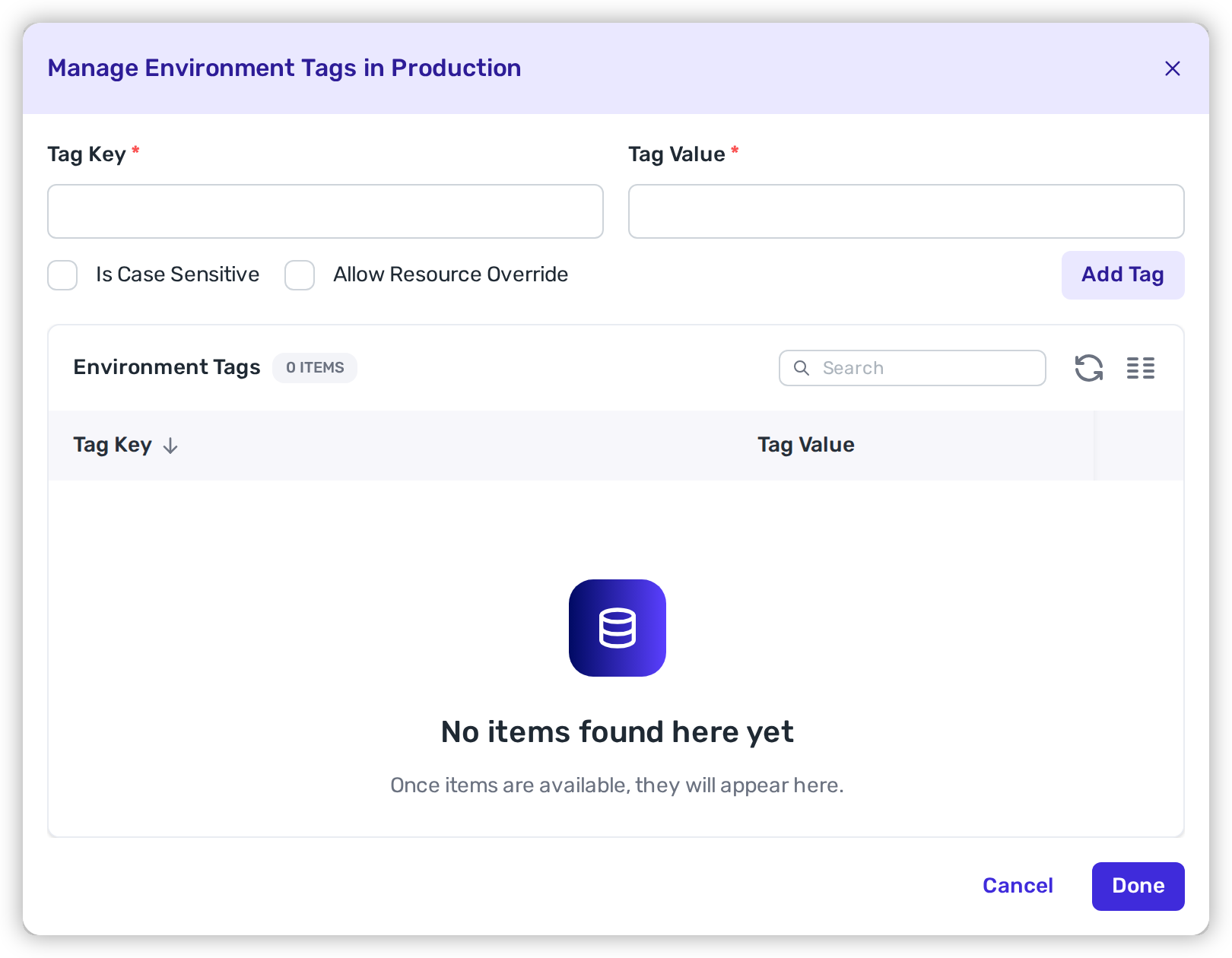
Assign OUs, accounts, or tags to each environment.
 {% endhint %}
## Verify
1. On **Connection Mapping → Environments**, each assigned account, project, or cluster shows the **environment badge** you gave it (e.g. Production, Staging).
2. Nothing you intend to curate is left **Unassigned** — anything still Unassigned is treated as High impact until you assign it.
3. Spot-check a repository or service in the [Catalog](/mrecEO40m5D6bt7Pq5pE/catalog.md): its business impact reflects the environment you assigned.
## Related
* [Using Account-Level Tags](/mrecEO40m5D6bt7Pq5pE/get-started/map-your-organization/environments/using-account-level-tags.md) — map account/OU tags to environments.
* [Using Resource-Level Tags](/mrecEO40m5D6bt7Pq5pE/get-started/map-your-organization/environments/using-resource-level-tags.md) — override at the individual-resource level.
* [Map Your Organization](/mrecEO40m5D6bt7Pq5pE/get-started/map-your-organization.md) — teams, applications, and ticketing.
---
# Agent Instructions
This documentation is published with GitBook. GitBook is the documentation platform designed so that both humans and AI agents can read, navigate, and reason over technical content effectively. Learn more at gitbook.com.
## Querying This Documentation
If you need additional information that is not directly available in this page, you can query the documentation dynamically by asking a question.
Perform an HTTP GET request on the current page URL with the `ask` query parameter, and the optional `goal` query parameter:
```
GET https://docs.heeler.com/mrecEO40m5D6bt7Pq5pE/get-started/map-your-organization/environments.md?ask=
{% endhint %}
## Verify
1. On **Connection Mapping → Environments**, each assigned account, project, or cluster shows the **environment badge** you gave it (e.g. Production, Staging).
2. Nothing you intend to curate is left **Unassigned** — anything still Unassigned is treated as High impact until you assign it.
3. Spot-check a repository or service in the [Catalog](/mrecEO40m5D6bt7Pq5pE/catalog.md): its business impact reflects the environment you assigned.
## Related
* [Using Account-Level Tags](/mrecEO40m5D6bt7Pq5pE/get-started/map-your-organization/environments/using-account-level-tags.md) — map account/OU tags to environments.
* [Using Resource-Level Tags](/mrecEO40m5D6bt7Pq5pE/get-started/map-your-organization/environments/using-resource-level-tags.md) — override at the individual-resource level.
* [Map Your Organization](/mrecEO40m5D6bt7Pq5pE/get-started/map-your-organization.md) — teams, applications, and ticketing.
---
# Agent Instructions
This documentation is published with GitBook. GitBook is the documentation platform designed so that both humans and AI agents can read, navigate, and reason over technical content effectively. Learn more at gitbook.com.
## Querying This Documentation
If you need additional information that is not directly available in this page, you can query the documentation dynamically by asking a question.
Perform an HTTP GET request on the current page URL with the `ask` query parameter, and the optional `goal` query parameter:
```
GET https://docs.heeler.com/mrecEO40m5D6bt7Pq5pE/get-started/map-your-organization/environments.md?ask=